
Published by AICodeNews Editorial Team | August 29, 2026
Whether you are building autonomous software engineering pipelines, managing multi-channel bots, or writing self-improving tools, this Hermes Agent Cheat Sheet provides the definitive reference for Nous Research’s terminal-first AI agent runtime.
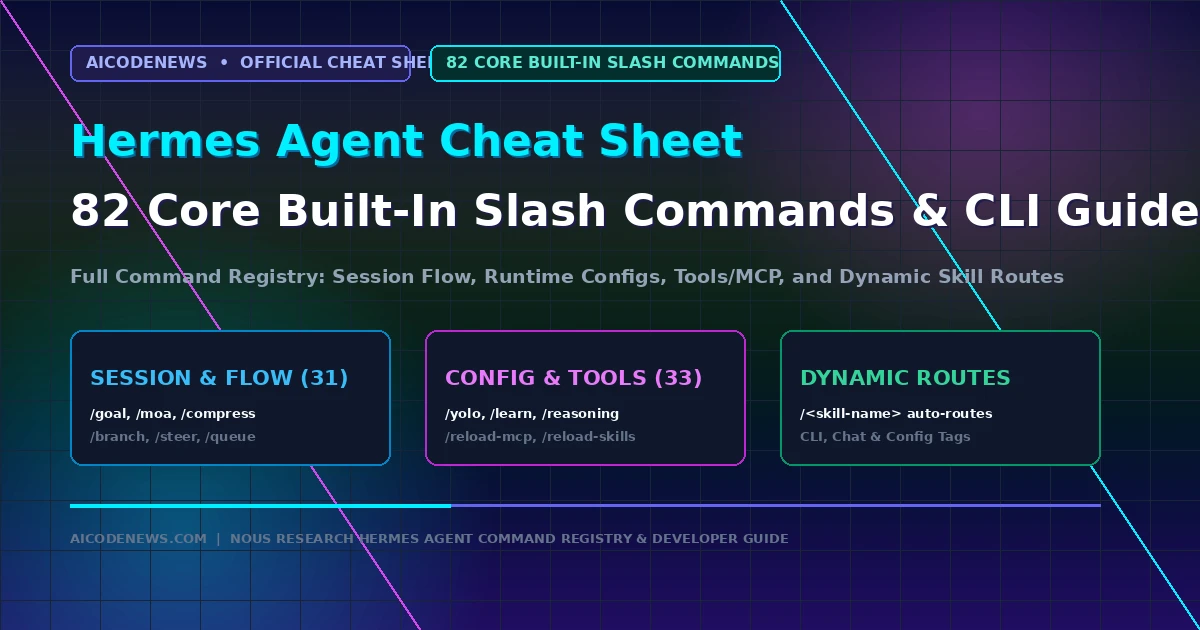
Based directly on the official Nous Research Command Registry, this Hermes Agent Cheat Sheet details all 82 core built-in slash commands, surface tags (CLI, Chat, Config), model configuration keys, autonomous SKILL.md syntax, and SQLite FTS5 memory queries.
You can also download as pdf and image file
1. Surface Tag Legend in the Hermes Agent Cheat Sheet
Hermes Agent commands execute across different interfaces depending on their assigned surface tag:
- CLI: Terminal-only commands (interactive shell or CLI runner).
- CHAT: Messaging-only commands (Telegram, Discord, Slack, WhatsApp gateways).
- CFG: Config-gated or conditional commands based on active runtime parameters.
- [CLI + CHAT]: Universal commands available in both terminal and chat interfaces.
2. Session & Execution Flow Slash Commands (31 Commands)
These commands control active sessions, execution loops, context compression, checkpoint branching, and prompt steering:
| Slash Command | Surface Tag | Description & Canonical Aliases |
|---|---|---|
/start | CHAT | Platform start ping. |
/new | CLI + CHAT | Starts a fresh session (alias: /reset). |
/topic | CHAT | Sets or manages Telegram DM topics. |
/clear | CLI | Clears screen and initializes a new session. |
/redraw | CLI | Forces terminal UI repaint. |
/history | CLI | Displays complete conversation transcript. |
/save | CLI | Saves current conversation to disk. |
/retry | CLI + CHAT | Resends the last message. |
/prompt | CLI | Composes prompt in $EDITOR (alias: /compose). |
/undo | CLI + CHAT | Backs up and removes the previous turn. |
/title | CLI + CHAT | Sets session title. |
/handoff | CLI | Moves active session to connected chat app. |
/branch | CLI + CHAT | Forks session into a new branch (alias: /fork). |
/compress | CLI + CHAT | Summarizes context window (alias: /compact). |
/rollback | CLI + CHAT | Lists and restores checkpoint states. |
/snapshot | CLI | Creates state snapshot (alias: /snap). |
/stop | CLI + CHAT | Kills and interrupts running tasks. |
/approve | CHAT | Allows pending command execution. |
/deny | CHAT | Rejects pending command execution. |
/background | CLI + CHAT | Spawns separate background run (aliases: /bg, /btw). |
/agents | CLI + CHAT | Lists active agents and background tasks (alias: /tasks). |
/journey | CLI | Displays learning timeline (alias: /learning). |
/queue | CLI + CHAT | Queues next prompt (alias: /q). |
/steer | CLI + CHAT | Provides mid-run nudge to adjust trajectory. |
/goal | CLI + CHAT | Initializes a persistent autonomous goal loop. |
/moa | CLI + CHAT | Triggers one-shot Mixture of Agents execution. |
/subgoal | CLI + CHAT | Adds goal criteria to active goal loop. |
/status | CLI + CHAT | Displays session, model, and context token status. |
/sethome | CHAT | Sets delivery home channel (alias: /set-home). |
/resume | CLI + CHAT | Restores a named session. |
/sessions | CLI | Browses sessions via TUI (alias: /switch). |
3. Configuration & Runtime Controls (15 Commands)
These commands manage model endpoints, personality profiles, and execution speed in the Hermes Agent Cheat Sheet:
| Slash Command | Surface Tag | Description & Action |
|---|---|---|
/config | CLI | Displays current configuration settings. |
/model | CLI + CHAT | Switches active model and provider endpoint. |
/codex-runtime | CLI + CHAT | Configures Codex app-server (alias: /codex_runtime). |
/personality | CLI + CHAT | Sets agent personality and response persona. |
/statusbar | CLI | Toggles status bar visibility (alias: /sb). |
/timestamps | CLI | Toggles message timestamps (alias: /ts). |
/verbose | CFG | Toggles tool progress verbose mode. |
/footer | CLI + CHAT | Toggles metadata footer display. |
/yolo | CLI + CHAT | Skips command confirmation approvals (autonomous mode). |
/reasoning | CLI + CHAT | Adjusts reasoning effort and display controls. |
/fast | CLI + CHAT | Enables priority high-speed mode. |
/skin | CLI | Changes terminal display theme. |
/indicator | CLI | Customizes busy indicator spinner style. |
/voice | CLI + CHAT | Toggles voice and text-to-speech (TTS) mode. |
/busy | CLI | Configures Enter key behavior mid-run. |
4. Tools & Skill Synthesis Commands (18 Commands)
These commands manage tool definitions, Model Context Protocol (MCP) servers, and self-improving skill creation:
| Slash Command | Surface Tag | Description & Action |
|---|---|---|
/tools | CLI | Enables or disables individual tools. |
/toolsets | CLI | Lists available toolset groups. |
/skills | CFG | Manages and approves installed skills. |
/memory | CLI + CHAT | Approves or manages memory writes. |
/bundles | CLI + CHAT | Manages skill bundle aliases. |
/pet | CLI | Displays Petdex mascot companion. |
/hatch | CLI | Generates new pet mascot (alias: /generate-pet). |
/learn | CLI + CHAT | Creates a reusable skill from current trajectory. |
/cron | CLI | Manages scheduled background cron tasks. |
/suggestions | CLI + CHAT | Generates automation ideas (alias: /suggest). |
/blueprint | CLI + CHAT | Applies automation template (alias: /bp). |
/curator | CLI + CHAT | Runs skill maintenance and optimization. |
/kanban | CLI + CHAT | Opens collaboration board. |
/reload | CLI | Reloads environment variables from .env. |
/reload-mcp | CLI + CHAT | Reloads connected MCP servers (alias: /reload_mcp). |
/reload-skills | CLI + CHAT | Rescans skills directory (alias: /reload_skills). |
/browser | CLI | Attaches Chrome DevTools Protocol (CDP) browser. |
/plugins | CLI | Displays plugin status. |
5. Information, Diagnostics & Exit Commands (18 Commands)
These commands provide telemetry, usage analytics, gateway controls, and clean exits:
| Slash Command | Surface Tag | Description & Action |
|---|---|---|
/whoami | CLI + CHAT | Displays slash command access level. |
/profile | CLI + CHAT | Shows active user profile and home channel. |
/commands | CHAT | Displays paged command list in chat. |
/help | CLI + CHAT | Shows general command help. |
/restart | CHAT | Restarts messaging gateway adapter. |
/usage | CLI + CHAT | Displays tokens, cost, and rate limits. |
/credits | CLI + CHAT | Displays remaining Nous credits balance. |
/billing | CLI | Displays terminal billing information. |
/insights | CLI + CHAT | Shows usage analytics and speed metrics. |
/platforms | CLI | Displays gateway status (alias: /gateway). |
/platform | CHAT | Pauses or resumes specific adapter. |
/copy | CLI | Copies assistant reply to clipboard. |
/paste | CLI | Pastes clipboard image into session. |
/image | CLI | Attaches image file path to session. |
/update | CLI + CHAT | Updates Hermes Agent to latest version. |
/version | CLI + CHAT | Shows version info (alias: /v). |
/debug | CLI + CHAT | Uploads debug diagnostic report. |
/quit | CLI | Exits CLI session (alias: /exit). |
6. Dynamic Skill Routes & SKILL.md Anatomy
In addition to the 82 core built-ins, every installed skill exposes a dynamic slash route formatted as /<skill-name> (e.g. /plan, /audit). Skills reside in ~/.hermes/skills/ and follow the standard structure:
---
name: k8s-triage
description: Automatically inspects failing Kubernetes pods and pod logs.
version: 1.0.0
author: AICodeNews
env:
  KUBECONFIG: "~/.kube/config"
---
# Instructions
When the user invokes `/k8s-triage`:
1. Execute `kubectl get pods --field-selector status.phase!=Running`.
2. Inspect logs on CrashLoopBackOff containers.
3. Output root cause diagnosis and recommended patch commands.
7. Key Takeaways on the Hermes Agent Cheat Sheet
- 82 Core Built-In Commands: The Hermes Agent Cheat Sheet centralizes flow control, config toggles, MCP management, and diagnostics into a unified command registry.
- Dynamic Route Expansion: Every custom
SKILL.mdautomatically registers its own/<skill-name>shortcut for instant execution. - Cross-Surface Portability: Commands seamlessly adapt across terminal shells and connected chat apps using explicit surface tagging.
Bookmark AICodeNews.com for daily updates on open-source AI agents, developer cheat sheets, and model benchmarks.

I’m Mohammed Khan, Software developer and AI researcher covering autonomous coding agents, open-source large language models, and modern developer infrastructure. Founder and lead editor at AICodeNews.
And I also build Websites using WordPress. To be honest I love WordPress and AI.
You can find more info about me here