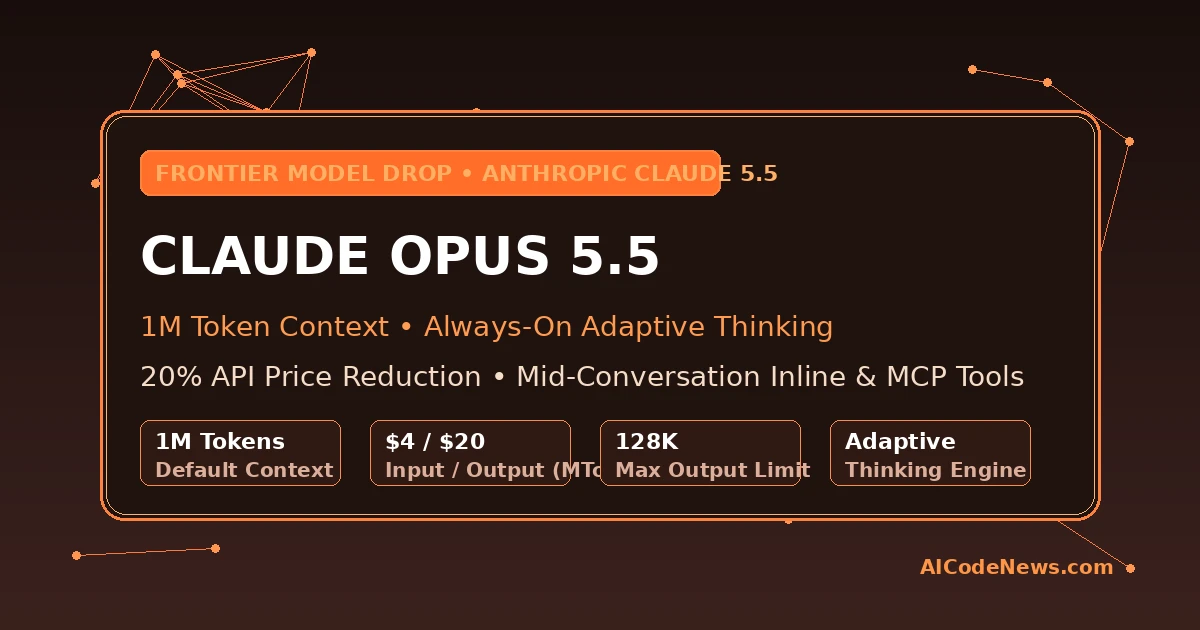
Anthropic has officially launched Claude Opus 5.5, introducing a high-performance frontier model engineered specifically for long-running agentic coding, deep research, and complex knowledge synthesis. Built with a default 1-million-token context window and 128,000 maximum output tokens, the release pairs sustained reasoning power with an immediate 20% API price reduction compared to its predecessor.
The launch underscores Anthropic’s commitment to making frontier-grade reasoning accessible for production workflows, dropping token costs to $4 per million input tokens and $20 per million output tokens.
Architectural Enhancements and Capabilities in Claude Opus 5.5
A central architectural upgrade in the new flagship is always-on adaptive thinking. Unlike earlier iterations where developers manually passed token budgets or toggled extended reasoning parameters, the system dynamically calibrates internal reasoning traces based on problem complexity, governed via a streamlined effort parameter.
The model also mandates updated tool interfaces, deprecating legacy computer use scripts in favor of modern standardized computer toolsets. In addition, Anthropic has opened a research preview of fast mode for low-latency reasoning queries, allowing developers to accelerate output token generation on latency-critical enterprise pipelines.
Feature / Metric
Claude Opus 5 (Predecessor)
Opus 5.5 Architecture
Developer Advantage
Input Token Pricing
$5.00 / MTok
$4.00 / MTok
20% Direct Cost Savings
Output Token Pricing
$25.00 / MTok
$20.00 / MTok
20% Output Expense Cut
Default Context Window
1,000,000 tokens
1,000,000 tokens
Enterprise-Scale Codebase Ingestion
Max Output Limit
128,000 tokens
128,000 tokens
Large-File & Multi-Module Generation
Thinking Configuration
Optional / Budget-based
Always-On Adaptive Thinking
Automated Complexity Scaling
Tool Orchestration
Static Schema Configuration
Mid-Conversation Inline & MCP Tools
Zero Cache Invalidation on Schema Updates
Mid-Conversation Inline Tools and Native MCP Connector
Beyond raw inference efficiency, the model enables dynamic inline tool definitions within mid-conversation system messages. Developers can now inject, modify, or update tool schemas on the fly without invalidating existing prompt caches, eliminating costly context re-processing during multi-turn agent loops.
When paired with Anthropic’s Model Context Protocol (MCP) connector, the model records fetched tool definitions in pinned response blocks, guaranteeing deterministic schema conformance across distributed microservices. The rollout of the flagship model across Amazon Bedrock, Google Cloud, and Microsoft Foundry ensures immediate enterprise availability without cloud vendor lock-in.
By blending reduced inference rates, expansive context limits, and modular tool orchestration, Anthropic delivers a robust engine for autonomous software engineering teams.
Key Takeaways for Developers
1M Default Context Window: Claude Opus 5.5 ships with a default 1-million-token context window and 128k output tokens for massive codebases.
20% Cost Reduction: Standard API pricing drops to $4 per million input tokens and $20 per million output tokens.
I’m Mohammed Khan, Software developer and AI researcher covering autonomous coding agents, open-source large language models, and modern developer infrastructure. Founder and lead editor at AICodeNews.
And I also build Websites using WordPress. To be honest I love WordPress and AI.
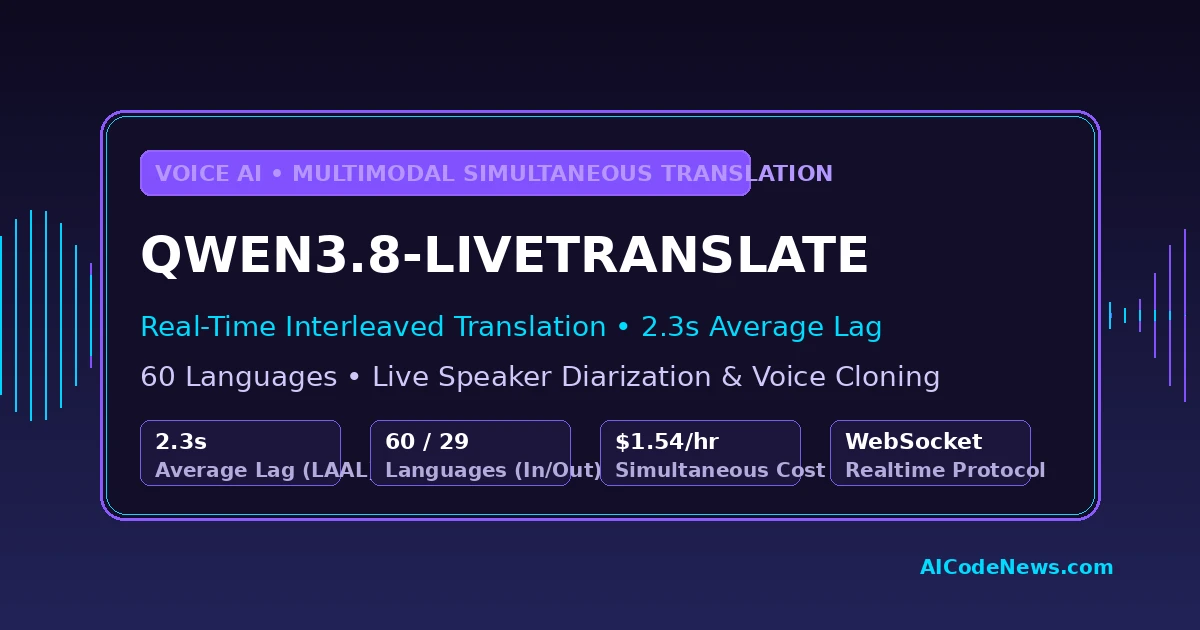
Alibaba’s Qwen team has officially released Qwen3.8-LiveTranslate, an advanced multimodal simultaneous interpretation model that listens to live speech and outputs translated audio while the speaker is still talking. By introducing an end-to-end Interleave architecture, the release drops Length-Adaptive Average Lagging (LAAL) from 2.8 seconds down to 2.3 seconds—an 18% reduction in latency across 60 supported languages.
The breakthrough bridges a critical gap in international communications, allowing global developers and enterprise teams to deploy low-latency, natural voice-to-voice translation pipelines without traditional cascading delays.
Interleaved Architecture and Latency Reductions in Qwen3.8-LiveTranslate
Traditional simultaneous translation systems rely on fragmented cascades that pass audio through independent automatic speech recognition (ASR), machine translation (MT), and text-to-speech (TTS) pipelines. The core innovation inside the new system is an Interleave streaming architecture that processes input speech, transcribed text, and target spoken audio as a single synchronized sequence.
By unifying multimodal tokens in one time-ordered stream, the engine eliminates cross-module pipeline latency. The system understands 60 input languages and provides bidirectional speech output across 29 languages, while the remaining 31 languages receive real-time streaming text translation.
Capability / Metric
Traditional Cascaded Pipeline
LiveTranslate Architecture
Architectural Advantage
Pipeline Architecture
Decoupled ASR → MT → TTS
Unified Interleaved Multimodal Stream
Zero cross-engine serialization overhead
Average Lagging (LAAL)
2.8 – 3.5 seconds
2.3 seconds
~18% faster real-time spoken response
Speaker Diarization
External diarization service
Native multi-speaker tagging
Contextual turn tracking in group meetings
Voice Preservation
Generic synthetic voices
Real-time zero-shot voice cloning
Maintains original speaker identity and pitch
Multimodal Vision Input
Audio-only transcription
Up to 2 frames/second visual context
Resolves ambiguous words using lip movements
Speaker Diarization, Context Awareness, and Cloud Pricing
In addition to streaming latency cuts, the interpreter introduces real-time speaker diarization and automated voice preservation during multi-party calls. The system dynamically isolates distinct speakers and clones their vocal characteristics into the target spoken output, ensuring listeners immediately recognize who is speaking during multi-person conferences.
The architecture also incorporates long-context entity disambiguation, referencing historical meeting dialogue to prevent mistranslating proper nouns, brand names, and technical terms. For enterprise developers, the service is deployed as a hosted WebSocket API (livetranslate-flash-realtime) on Alibaba Cloud Model Studio and Qwen Cloud. Spoken input is billed at 7 tokens per second ($7.50/1M tokens) and spoken output at 12.5 tokens per second ($30.00/1M tokens), bringing the operational cost of one full hour of continuous bidirectional translation to approximately $1.54.
Key Takeaways for Developers
Sub-2.5 Second Spoken Latency: Qwen3.8-LiveTranslate reduces average translation lag to 2.3 seconds using a unified Interleave architecture.
Broad Multilingual Coverage: Ingests 60 languages with full bidirectional speech output across 29 major global languages.
I’m Mohammed Khan, Software developer and AI researcher covering autonomous coding agents, open-source large language models, and modern developer infrastructure. Founder and lead editor at AICodeNews.
And I also build Websites using WordPress. To be honest I love WordPress and AI.
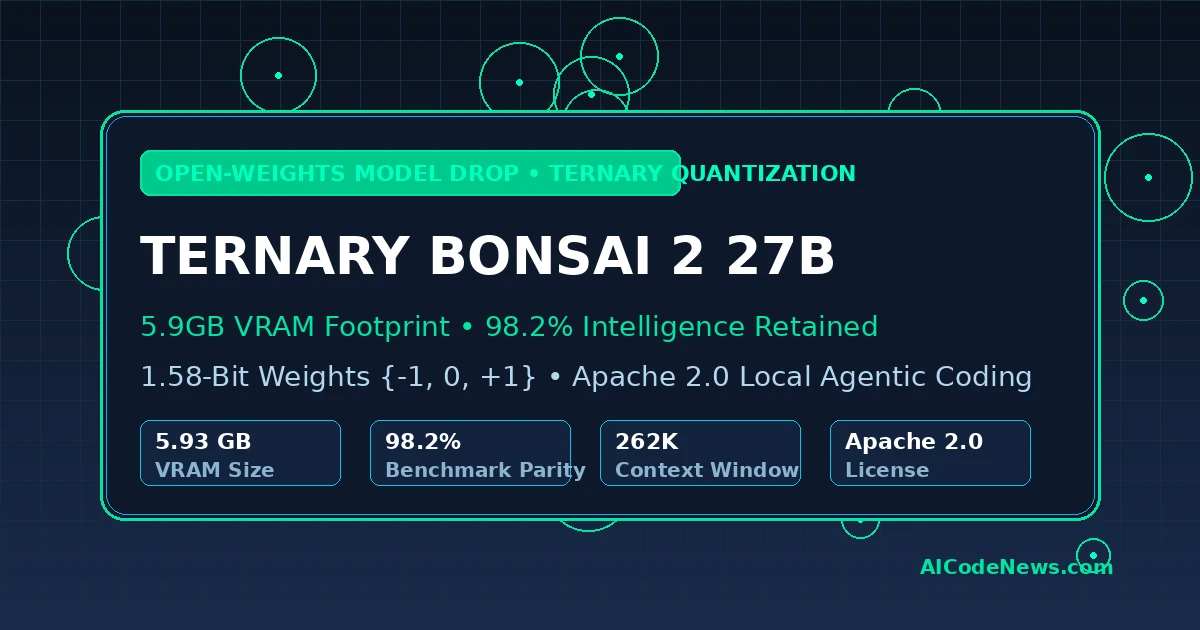
PrismML has officially released Ternary Bonsai 2 27B, a groundbreaking 5.93 GB open-weights language model that achieves 98.2% benchmark parity with full-precision 27B architectures while slashing memory footprints by 9x. The Apache 2.0-licensed release demonstrates that extreme ternary quantization {-1, 0, +1} can power complex autonomous coding agents and multimodal reasoning directly on consumer laptops and single GPUs.
The release marks a pivotal moment for on-device computing, proving that developers no longer need dual RTX 4090s or quantized FP8 compromises to execute 27B-class models locally.
Core Architectural Breakdown of Ternary Bonsai 2 27B
Built upon Alibaba’s open-weights Qwen 27B architecture, the engineering behind the Bonsai 2 system replaces standard 16-bit floating-point weight representations with ternary {-1, 0, +1} values. This allows matrix multiplication operations to be executed primarily through energy-efficient additions and subtractions rather than compute-heavy floating-point MACs.
The model occupies only 5.93 GB of disk and VRAM, compared to 53.80 GB in standard FP16. Unlike post-training quantization methods that often degrade coherence in reasoning tasks, PrismML pre-trains and aligns the ternary weights directly with FP16 group scalers, enabling unprecedented intelligence retention across multi-step tasks.
Specification
Standard FP16 Baseline (27B)
Bonsai 2 (Ternary Quantized)
Efficiency Multiplier
Model Size / VRAM Footprint
53.80 GB
5.93 GB
9.07x Reduction
Arithmetic Precision
16-bit Floating Point
1.58-bit Ternary {-1, 0, +1}
~10x Parameter Compression
Context Window
128K tokens
262K tokens
2x Context Window
Hardware Minimum
2x 32GB GPUs or Cloud Pod
16GB Laptop / Single 24GB GPU
Edge-Deployable
License
Permissive Open Weights
Apache 2.0
Full Commercial Use
Benchmark Parity and Agentic Coding Performance
Across a comprehensive suite of 20 recognized evaluation benchmarks, the model retains 98.2% of its parent model’s unquantized scores. In agentic code generation and long-horizon tool orchestration, the model successfully drove autonomous coding workflows inside Cline and native terminal shells without degrading into syntax loops.
The architecture also retains native multimodal capabilities, allowing local developers to process image inputs, architectural diagrams, and terminal snapshots within an expansive 262,144-token context window. The engineering team has published optimized GGUF binaries for standard llama.cpp runtimes alongside dedicated 2-bit MLX kernels tailored for Apple Silicon Unified Memory architectures.
Open-weights releases of this caliber demonstrate that the memory wall in consumer AI is crumbling. By combining ternary representations with scalable post-training techniques, developers can now run production-grade autonomous agent loops entirely air-gapped on existing hardware.
Key Takeaways for Developers
Massive Footprint Compression: Ternary Bonsai 2 27B shrinks a 27B-parameter architecture to 5.93 GB, fitting comfortably within 16 GB MacBook Unified Memory or an RTX 4070.
Near-Zero Precision Loss: Delivers 98.2% average benchmark retention across 20 evaluations, maintaining reasoning integrity in math and coding benchmarks.
Expanded Native Context: Features a 262K-token context window, supporting full-codebase ingestion and persistent agentic memory.
Immediate Ecosystem Integration: Apache 2.0 weights are available immediately via Hugging Face with native support for llama.cpp and MLX.
I’m Mohammed Khan, Software developer and AI researcher covering autonomous coding agents, open-source large language models, and modern developer infrastructure. Founder and lead editor at AICodeNews.
And I also build Websites using WordPress. To be honest I love WordPress and AI.
Published by AICodeNews Editorial Team | September 17, 2026
Abandoning conversational text generation in favor of fast, structured software decisions, TypeSafe Jev AI has officially been unveiled by TypeSafe AI and InstructGPT co-author Diogo Almeida.
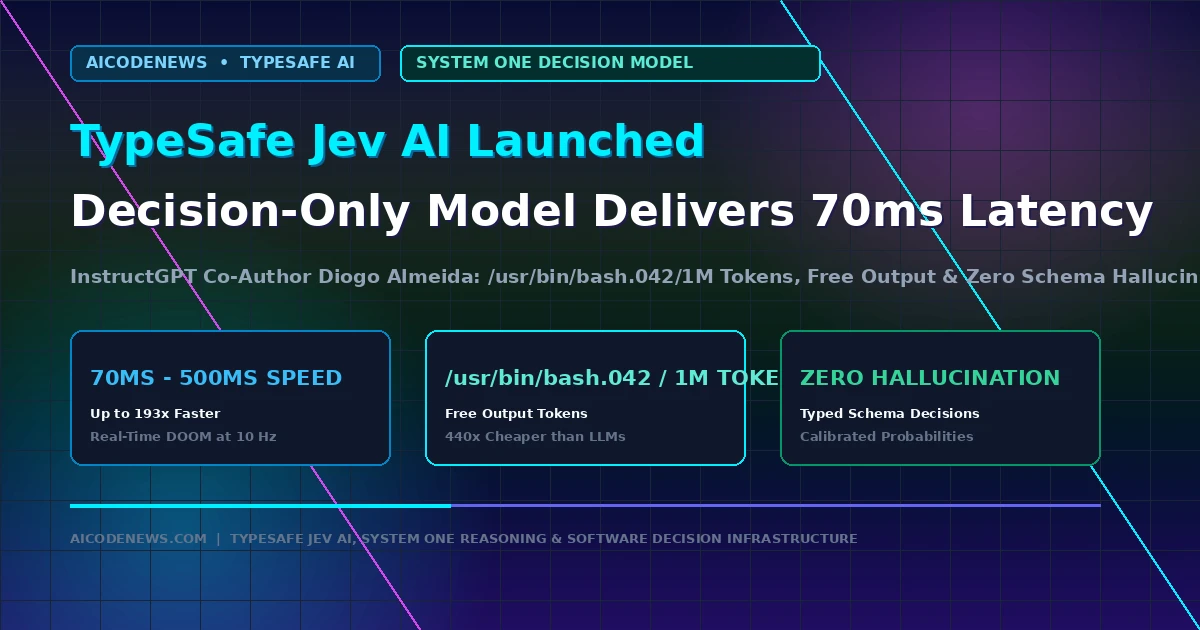
Announced across official developer channels on typesafe.ai and shared by founder Diogo Almeida (@CompleteSkeptic), TypeSafe Jev AI introduces a new model class described as “System One” AI. Instead of generating open-ended prose word-by-word, the model evaluates state data against pre-declared schemas, delivering typed decisions and calibrated probabilities in 70 to 500 milliseconds at a disruptive cost of $0.042 per million input tokens with completely free output.
1. What Is TypeSafe Jev AI?
Most production AI workflows inside software engineering do not actually need an essay; they need an instant answer to a narrow, high-frequency question: Which support queue gets this ticket? Is this database mutation safe? Should this user invoice require human review? Rather than generating paragraphs or code snippets, TypeSafe Jev AI takes two inputs: a raw state context and typed questions:
Zero Schema Hallucination Guarantee: Because candidate outputs are strictly bound to pre-defined enums and types, the model mathematically cannot emit syntax outside your application’s schema.
Native Probability Calibration: Every decision returns confidence scores directly sampled at the model layer, allowing engineering pipelines to send low-confidence edge cases to human review automatically.
High-Frequency Real-Time Execution: In live demonstrations, developers ran Jev at 10 decisions per second (10 Hz) playing DOOM in real-time—executing tactical dodging and weapon switching for an entire hour for just $7.
2. Standard LLM Generation vs. TypeSafe Jev AI Architecture
The architectural trade-off replaces open-ended chatting with rapid programmatic evaluation:
Architecture Dimension
Standard Generative LLMs (e.g. GPT-5.6 / Claude)
TypeSafe Jev AI
Output Mode
Auto-regressive token generation (Text/JSON)
Direct typed decision sampling
Inference Latency
800ms – 3,500ms
70ms – 500ms (Up to 193x faster)
Input Pricing / 1M
$2.00 – $10.00
$0.042 (440x cheaper)
Output Pricing / 1M
$10.00 – $50.00
$0.00 (Completely Free Output)
Hallucination Risk
Frequent string/schema format errors
Zero structural hallucination
3. Developer Integration & Real-World Use Cases
The economic disruption of TypeSafe Jev AI is driven by its pricing structure: $0.042 per million input tokens with zero charge for output. The model is accessible via official Python and TypeScript REST SDKs, making it a drop-in replacement for triage routers, fraud classification gates, and autonomous agent routing layers.
4. Key Takeaways on TypeSafe Jev AI
Decision-Only Shift: TypeSafe Jev AI sacrifices conversational text generation to achieve instant, typed software decisions.
Disruptive Token Economics: $0.042/1M input pricing and free output make high-frequency background agent checks economically negligible.
Sub-500ms Reliability: Delivers calibrated probabilities with zero structural hallucination for automated software pipelines.
Bookmark AICodeNews.com for daily updates on novel AI architectures, developer models, and inference economics.
The official editorial desk of AICodeNews. We provide verified breaking news, in-depth tool comparisons, and hands-on technical tutorials for software engineers building with frontier and open-source AI models.
Published by AICodeNews Editorial Team | September 11, 2026
In a major architectural milestone that streamlines full-stack and AI agent development, Cloudflare Workers Node.js Compatibility has officially been activated by default across all serverless isolates.
Announced on the official Cloudflare Blog, the upgraded Cloudflare Workers Node.js Compatibility overhaul rebuilds Workers’ internal module registry. By providing native, in-runtime implementations of Node core APIs (including node:buffer, node:crypto, node:stream, and node:events), developers can now deploy standard npm packages, Model Context Protocol (MCP) servers, and agent frameworks directly to the edge without complex build-time polyfills or bundler workarounds.
1. Why Cloudflare Workers Node.js Compatibility Was Rebuilt
Historically, running modern AI agent frameworks on edge workers required custom esbuild shims, often resulting in ballooning bundle sizes and broken Node-specific dependencies. The new Cloudflare Workers Node.js Compatibility architecture eliminates these friction points:
Native In-Isolate Node Implementations: Core Node modules run directly inside the underlying V8 isolate runtime, improving execution performance and cutting bundle sizes by up to 60%.
Seamless AI Agent Tool Hosting: Frameworks like LangChain, OpenClaw gateways, and FastMCP servers deploy out of the box with zero configuration flags.
Instant Package Portability: Standard npm libraries that rely on Node async streams and cryptographic hashing work immediately without polyfill degradation.
2. Legacy Workers Polyfills vs. Default Node.js Compatibility
The transition to default Cloudflare Workers Node.js Compatibility applies automatically to all new Workers and Pages deployments globally. Existing projects can remove legacy polyfill plugins from their build pipelines immediately, benefiting from faster cold-start initialization and streamlined continuous integration builds.
4. Key Takeaways on Cloudflare Workers Node.js Compatibility
Zero-Config Edge Development: Cloudflare Workers Node.js Compatibility runs standard Node APIs natively across all edge isolates.
The official editorial desk of AICodeNews. We provide verified breaking news, in-depth tool comparisons, and hands-on technical tutorials for software engineers building with frontier and open-source AI models.
Published by AICodeNews Editorial Team | September 8, 2026
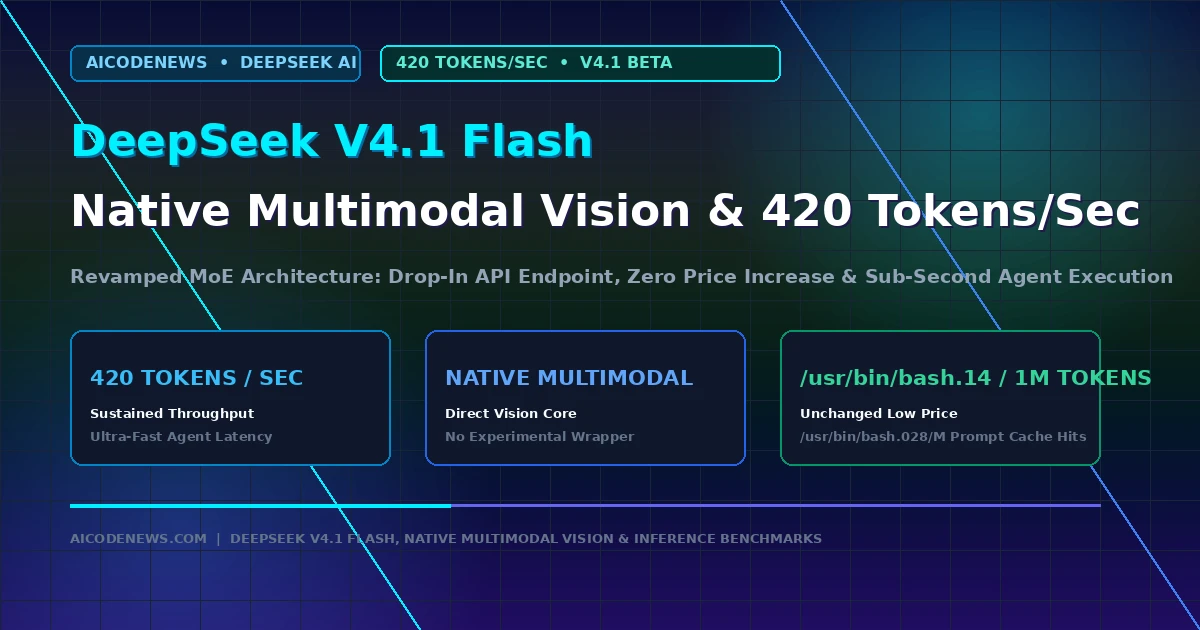
In a surprise developer preview, DeepSeek V4.1 Flash has officially launched across the DeepSeek API platform under the intermediate test endpoint deepseek-v4.1-flash-expires-on-0910.
Released as an invite-and-feedback evaluation preview on the official DeepSeek API Platform, DeepSeek V4.1 Flash introduces a revamped Mixture-of-Experts (MoE) architecture with native multimodal vision capabilities, ultra-fast token output speeds, and identical pricing to the existing V4-Flash production tier.
1. What Is New in DeepSeek V4.1 Flash?
The release marks a significant intermediate architectural leap for DeepSeek’s lightweight model family:
Blazing 420 Tokens/Second Throughput: Initial benchmark telemetry shows that DeepSeek V4.1 Flash achieves sustained generation speeds of up to 420 tokens per second during multi-turn completion tasks, substantially reducing latency for autonomous agent loops and terminal code generation.
Native Multimodal Vision Integration: Unlike earlier iterations that required separate experimental vision wrappers, the new architecture processes images, charts, and terminal screenshots directly within the primary context window.
Unchanged Low-Cost Pricing: DeepSeek has maintained its industry-disrupting pricing structure at $0.14 per 1M input tokens and $0.28 per 1M output tokens, with prompt cache hits dropping input costs to $0.028 per 1M tokens.
Drop-In API Compatibility: Developers do not need to change their existing base_url (https://api.deepseek.com). Simply updating the model parameter to deepseek-v4.1-flash-expires-on-0910 immediately routes traffic to the new preview.
2. DeepSeek V4 Flash vs. DeepSeek V4.1 Flash Architecture Breakdown
This technical comparison highlights the performance differences between the current production release and the new preview endpoint:
To test DeepSeek V4.1 Flash, developers can maintain their existing OpenAI SDK or DeepSeek Harness configurations and update the model string in their environment settings. DeepSeek has placed an initial rate limit of 20 concurrent connections per account to manage server capacity while gathering community feedback through its official questionnaire ahead of a full general availability rollout.
4. Key Takeaways on DeepSeek V4.1 Flash
Speed Record: DeepSeek V4.1 Flash reaches up to 420 tokens per second, making it one of the fastest frontier-grade reasoning models available.
Native Multimodality: Directly processes visual inputs and text simultaneously with zero wrapper overhead.
Same Ultra-Low Pricing: Maintains identical $0.14/1M input pricing with a seamless drop-in endpoint change.
Bookmark AICodeNews.com for daily coverage on open-source AI models, developer tooling benchmarks, and API pricing updates.
The official editorial desk of AICodeNews. We provide verified breaking news, in-depth tool comparisons, and hands-on technical tutorials for software engineers building with frontier and open-source AI models.
Published by AICodeNews Editorial Team | September 2, 2026
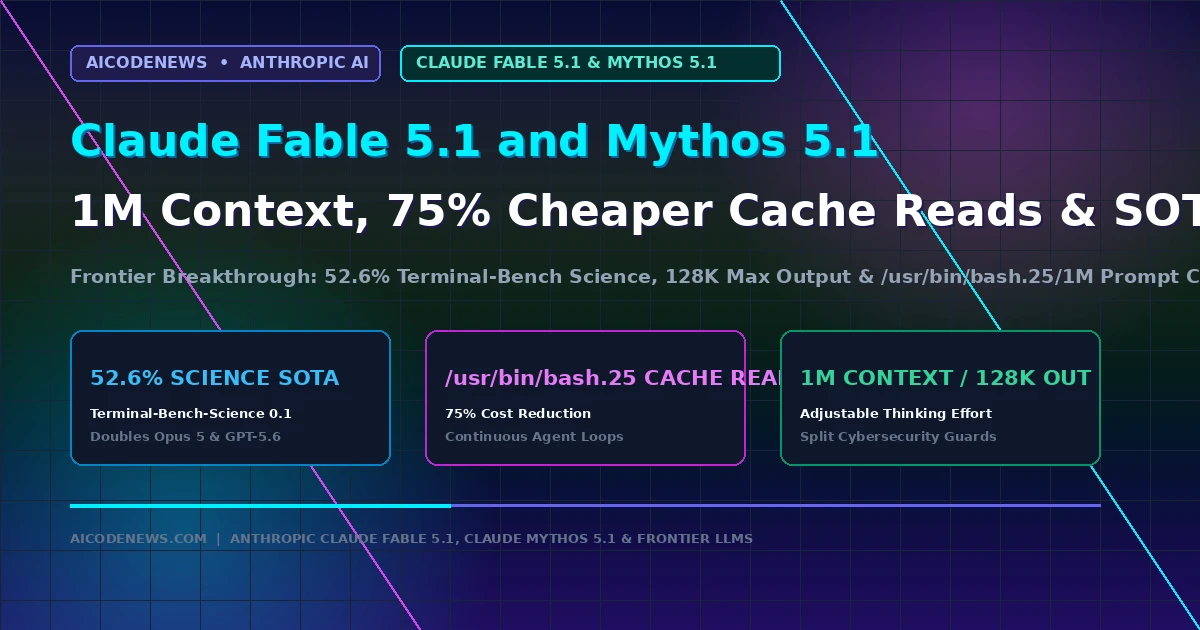
In a major frontier intelligence update for software engineering and scientific research, Claude Fable 5.1 and Mythos 5.1 have officially launched across official Anthropic developer channels.
Announced on the official Anthropic Newsroom and deployed across Claude Code and the Claude Console API, Claude Fable 5.1 and Mythos 5.1 share the same underlying frontier weights while applying differentiated deployment safeguards. The release delivers a massive 1-million-token context window, 128k maximum output capacity, adjustable thinking effort levels, and a 75% cost reduction on prompt cache reads.
Claude Fable 5.1 (claude-fable-5-1): Generally available for coding, long-horizon agentic task execution, and scientific knowledge work. Features refined safeguards that allow the model to identify source-code vulnerabilities while reducing false refusals on benign biology requests by 85%.
Claude Mythos 5.1 (claude-mythos-5-1): Restricted to vetted institutional organizations through trusted access programs (such as Project Glasswing) for specialized cybersecurity defense and biology research.
Adjustable Thinking Effort: Introduces five selectable reasoning levels (low, medium, high, xhigh, max) supported mid-conversation via beta headers.
2. Benchmark Breakdown & Science SOTA for Claude Fable 5.1 and Mythos 5.1
On benchmark leaderboards, Claude Fable 5.1 and Mythos 5.1 established dominant new state-of-the-art results in autonomous reasoning:
3. Token Economics & 75% Cheaper Cache Reads in Claude Fable 5.1 and Mythos 5.1
While base input remains $10 per million tokens and output remains $50 per million tokens, the defining architectural improvement in Claude Fable 5.1 and Mythos 5.1 is its aggressive prompt caching discount:
$0.25 / 1M Cache Reads: Prompt cache hits fall from $1.00 down to $0.25 per million tokens, cutting operating expenses by 25% to 45% for developers running multi-turn autonomous loops in Claude Code and Cursor.
128k Completion Horizon: Generates up to 128,000 output tokens in a single inference call, enabling whole-application synthesis and full audit report generation without chunking.
The deployment of Claude Fable 5.1 and Mythos 5.1 across the developer ecosystem centers on differentiated access and refined safety weights. While the models are deployed via the Claude Console API and Claude Code, institutional availability extends through trusted channels.
Anthropic leverages a dual-configuration approach. Fable 5.1 remains accessible for general coding and agentic tasks, while Mythos 5.1 is restricted to vetted organizations via programs like Project Glasswing. This ensures specialized research in biology and cybersecurity is conducted within secured, institutional environments.
By reducing false refusals on benign requests by 85%, the new architecture allows developers to identify source-code vulnerabilities more effectively without hitting rigid safety walls. These updates are rolling out across major cloud partner environments including AWS Bedrock and Google Vertex AI, ensuring frontier intelligence is available where enterprise data resides.
5. Key Takeaways on Claude Fable 5.1 and Mythos 5.1
Unified Frontier Base: Claude Fable 5.1 and Mythos 5.1 share identical underlying weights, providing 1M context tokens and 128k maximum output.
The official editorial desk of AICodeNews. We provide verified breaking news, in-depth tool comparisons, and hands-on technical tutorials for software engineers building with frontier and open-source AI models.
Published by AICodeNews Editorial Team | August 29, 2026
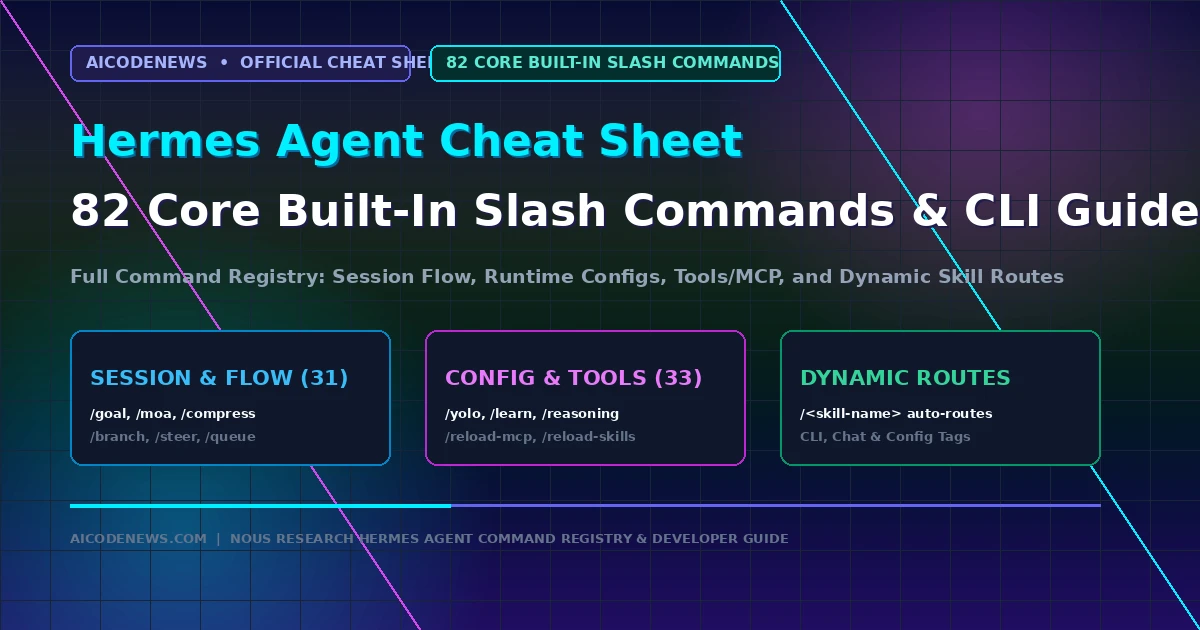
Whether you are building autonomous software engineering pipelines, managing multi-channel bots, or writing self-improving tools, this Hermes Agent Cheat Sheet provides the definitive reference for Nous Research’s terminal-first AI agent runtime.
Based directly on the official Nous Research Command Registry, this Hermes Agent Cheat Sheet details all 82 core built-in slash commands, surface tags (CLI, Chat, Config), model configuration keys, autonomous SKILL.md syntax, and SQLite FTS5 memory queries.
These commands provide telemetry, usage analytics, gateway controls, and clean exits:
Slash Command
Surface Tag
Description & Action
/whoami
CLI + CHAT
Displays slash command access level.
/profile
CLI + CHAT
Shows active user profile and home channel.
/commands
CHAT
Displays paged command list in chat.
/help
CLI + CHAT
Shows general command help.
/restart
CHAT
Restarts messaging gateway adapter.
/usage
CLI + CHAT
Displays tokens, cost, and rate limits.
/credits
CLI + CHAT
Displays remaining Nous credits balance.
/billing
CLI
Displays terminal billing information.
/insights
CLI + CHAT
Shows usage analytics and speed metrics.
/platforms
CLI
Displays gateway status (alias: /gateway).
/platform
CHAT
Pauses or resumes specific adapter.
/copy
CLI
Copies assistant reply to clipboard.
/paste
CLI
Pastes clipboard image into session.
/image
CLI
Attaches image file path to session.
/update
CLI + CHAT
Updates Hermes Agent to latest version.
/version
CLI + CHAT
Shows version info (alias: /v).
/debug
CLI + CHAT
Uploads debug diagnostic report.
/quit
CLI
Exits CLI session (alias: /exit).
6. Dynamic Skill Routes & SKILL.md Anatomy
In addition to the 82 core built-ins, every installed skill exposes a dynamic slash route formatted as /<skill-name> (e.g. /plan, /audit). Skills reside in ~/.hermes/skills/ and follow the standard structure:
---
name: k8s-triage
description: Automatically inspects failing Kubernetes pods and pod logs.
version: 1.0.0
author: AICodeNews
env:
  KUBECONFIG: "~/.kube/config"
---
# Instructions
When the user invokes `/k8s-triage`:
1. Execute `kubectl get pods --field-selector status.phase!=Running`.
2. Inspect logs on CrashLoopBackOff containers.
3. Output root cause diagnosis and recommended patch commands.
7. Key Takeaways on the Hermes Agent Cheat Sheet
82 Core Built-In Commands: The Hermes Agent Cheat Sheet centralizes flow control, config toggles, MCP management, and diagnostics into a unified command registry.
Dynamic Route Expansion: Every custom SKILL.md automatically registers its own /<skill-name> shortcut for instant execution.
Cross-Surface Portability: Commands seamlessly adapt across terminal shells and connected chat apps using explicit surface tagging.
Bookmark AICodeNews.com for daily updates on open-source AI agents, developer cheat sheets, and model benchmarks.
I’m Mohammed Khan, Software developer and AI researcher covering autonomous coding agents, open-source large language models, and modern developer infrastructure. Founder and lead editor at AICodeNews.
And I also build Websites using WordPress. To be honest I love WordPress and AI.
Published by AICodeNews Editorial Team | August 31, 2026
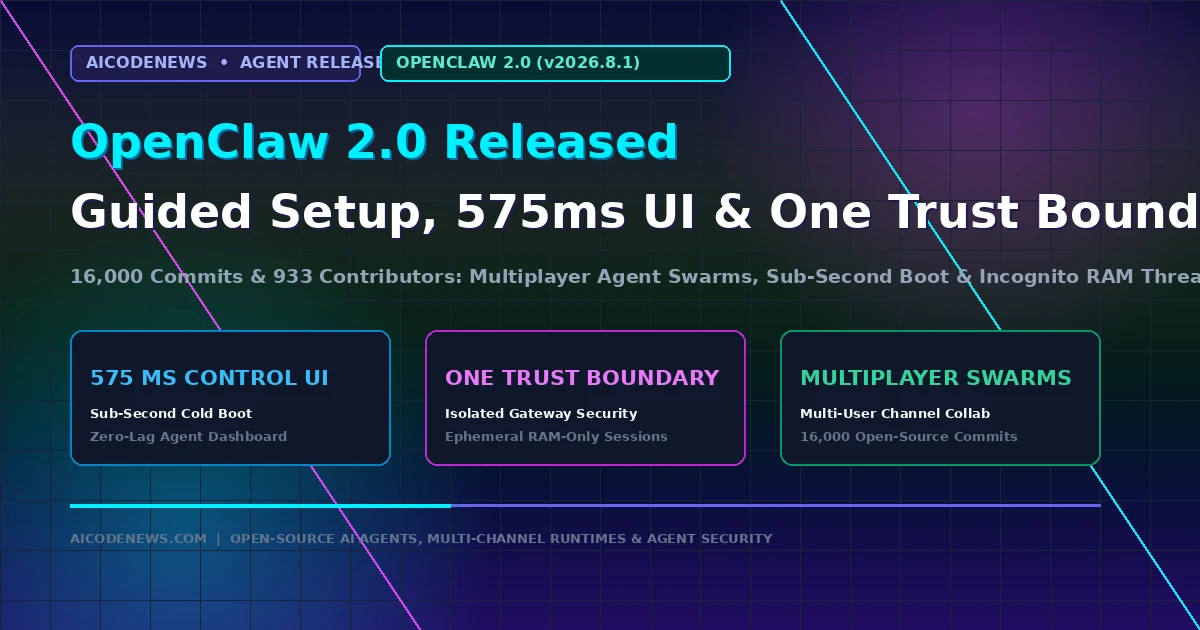
In the biggest milestone in the project’s history, OpenClaw 2.0 has officially launched across official developer channels, delivering over 16,000 code commits and architectural overhauls built by 933 contributors.
Detailed in the official announcement on OpenClaw.ai and tagged as release v2026.8.1, OpenClaw 2.0 introduces a frictionless guided model setup, a sub-second 575 ms Control UI startup, isolated “One Trust Boundary Per Gateway” security, and real-time multiplayer agent collaboration.
1. What Is New in OpenClaw 2.0?
The transition to OpenClaw 2.0 addresses the main setup friction and security challenges faced by developers running autonomous agents 24/7:
Guided Model Onboarding Wizard: Auto-detects local Ollama and vLLM model endpoints on your network, while validating API credentials across Claude, OpenAI, and DeepSeek in seconds.
575 ms Control UI Startup: The local browser interface and session controller now boots in under 600 milliseconds, eliminating UI lag when managing background tasks.
One Trust Boundary Per Gateway: Major security re-architecture isolating each messaging channel (WhatsApp, Telegram, Slack) inside independent trust containers with ephemeral session keys.
Multiplayer Multi-Agent Swarms: Allows multiple users to collaborate with shared sub-agents in group chats, tracking user-specific permissions and shared task states.
2. OpenClaw 1.x vs. OpenClaw 2.0 Feature Breakdown
Platform Capability
OpenClaw 1.x (Legacy)
OpenClaw 2.0 (v2026.8.1)
Setup Experience
Manual CLI JSON editing
Interactive Guided Model Setup wizard
Control UI Latency
2.4s – 4.1s cold boot
575 ms instant startup
Security Boundary
Shared global process permissions
One Trust Boundary per Gateway
Agent Collaboration
Single-user thread execution
Native Multiplayer agent swarms
Ephemeral Sessions
Persistent disk logs only
Incognito memory threads (RAM only)
3. Quickstart: Upgrading to OpenClaw 2.0
Developers can upgrade existing installations to OpenClaw-2.0 using the global package manager:
# Update to OpenClaw 2.0 globally
npm install -g openclaw@latest

# Launch the new Guided Model Setup wizard
openclaw setup

# Restart the isolated gateway daemon
openclaw gateway restart
4. Key Takeaways on OpenClaw 2.0
Massive Community Milestone: OpenClaw-2.0 brings over 16,000 code changes authored by 933 open-source contributors.
Sub-Second Control UI: Drops local dashboard startup latency to 575 ms for instantaneous session management.
Hardened Security & Multiplayer: Enforces strict gateway trust boundaries and enables multi-agent collaboration across messaging apps.
Bookmark AICodeNews.com for daily updates on open-source AI agents, developer tooling releases, and model benchmarks.
I’m Mohammed Khan, Software developer and AI researcher covering autonomous coding agents, open-source large language models, and modern developer infrastructure. Founder and lead editor at AICodeNews.
And I also build Websites using WordPress. To be honest I love WordPress and AI.
Published by AICodeNews Editorial Team | August 29, 2026
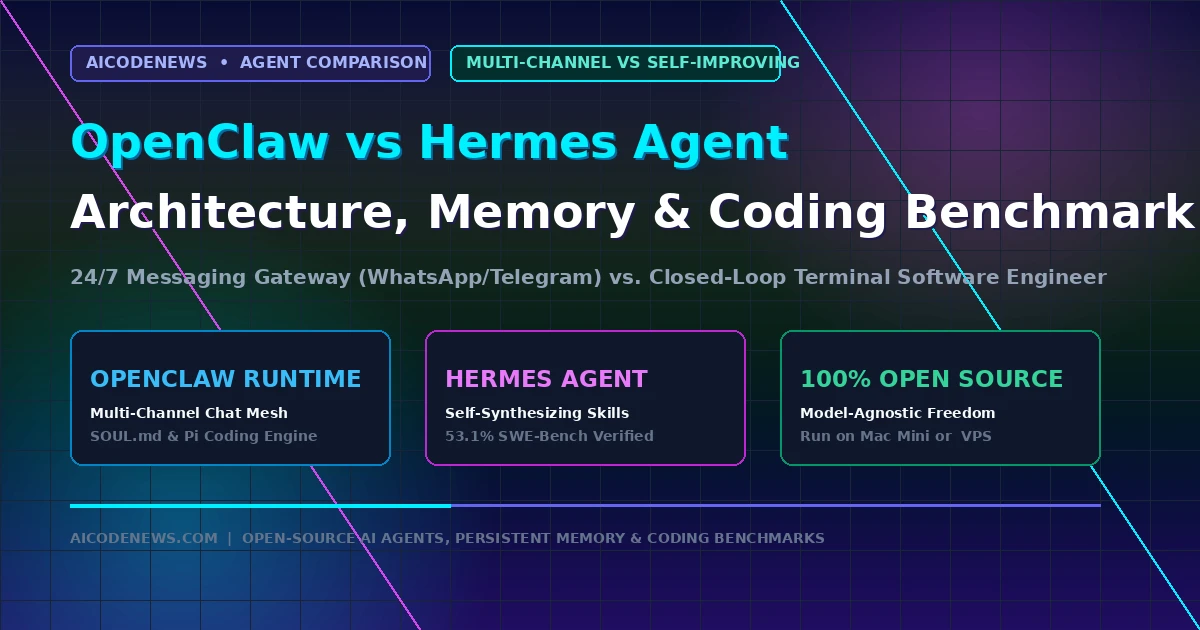
In the battle of open-source autonomous AI agents, comparing OpenClaw vs Hermes Agent reveals two fundamentally different engineering philosophies driving the developer ecosystem in 2026.
While OpenClaw (formerly Clawdbot/Moltbot) took the developer community by storm as an always-on personal intelligence layer connected to everyday messaging apps, Hermes Agent by Nous Research has emerged as a terminal-first autonomous software engineer with self-improving closed-loop learning. This comprehensive, in-depth guide breaks down OpenClaw vs Hermes Agent from first principles, detailing their core architectures, memory retention systems, skill creation pipelines, SWE-bench coding benchmarks, and deployment blueprints.
1. What Is OpenClaw? The 24/7 Multi-Channel Personal Life OS
OpenClaw is an open-source autonomous agent runtime designed to transform commercial messaging apps into a remote control for your computing life. Originating from the viral Clawdbot and Moltbot projects created by Peter Steinberger and an active open-source community, OpenClaw quickly crossed 100,000 GitHub stars by solving a major frustration with traditional AI chatbots: accessibility.
Instead of forcing you to open a dedicated browser tab or keep a local terminal window active, OpenClaw runs as a persistent background daemon on a home server, Mac Mini, or cloud VPS. It pairs directly with your existing communication channels—including WhatsApp, Telegram, Discord, Slack, and Apple iMessage.
Whenever you send a text message or voice note to your paired bot, OpenClaw’s execution core (powered by its Pi sub-agent engine) parses the request, accesses local files, queries APIs, runs shell scripts, and streams the finished result directly back to your chat thread.
Core Capabilities of OpenClaw:
Multi-Channel Gateway Mesh: Native connectors for Telegram (via BotFather), WhatsApp (via QR code web pairing), Discord, and Slack with session isolation.
Transparent Personality & Memory (SOUL.md): Human-readable markdown files (SOUL.md, IDENTITY.md, USER.md) defining custom behavior rules, communication tone, and personal context.
Modular Skill Standards (SKILL.md): An extensible directory standard where tools, shell scripts, and API connectors are declared in self-contained markdown folders.
Sub-Agent Task Spawning: Can launch isolated background sub-agents to handle long-running research, web scraping, or cron jobs without blocking your active chat thread.
2. What Is Hermes Agent? The Self-Evolving Autonomous Software Engineer
Hermes Agent is an open-source, command-line-first autonomous software engineering agent developed by Nous Research, the creators of the widely used open-weight Hermes model family. While OpenClaw focuses on everyday task automation across chat apps, Hermes Agent is engineered specifically to eliminate “agent amnesia” in deep software engineering and monorepo refactoring.
In standard AI assistants, every session starts from a blank slate. If an agent spends two hours debugging a complex Rust compiler error or learning the esoteric architecture of a proprietary codebase, all of that institutional knowledge disappears the moment you close the terminal.
Hermes Agent solves this through Closed-Loop Reinforcement Learning and Autonomous Skill Synthesis. After completing a programming task or resolving an error, Hermes Agent analyzes its own execution trajectory, extracts the successful solution pattern, and automatically writes a new, reusable SKILL.md playbook into its local database. The next time it encounters a similar error, it executes the solution immediately without re-inventing the wheel.
Core Capabilities of Hermes Agent:
Closed-Loop Learning Engine: Autonomously synthesizes and updates custom skill scripts after completing tasks, compounding capability over time.
Persistent SQLite FTS5 Memory: Full-Text Search indexed memory storing conversation history, repository maps, and execution logs across sessions.
Multi-Tier Execution Environments: Can execute commands in your local shell, across remote SSH compute clusters, or inside hardened Docker sandboxes.
3-Layer Credential & Model Fallback: Rotates through API key pools and automatically switches from primary models to auxiliary reasoning endpoints during rate limits.
3. Architectural Comparison: Multi-Channel Gateway Mesh vs. Multi-Tier Execution Shell
Understanding OpenClaw vs Hermes Agent requires looking at how their internal execution loops and control planes operate under the hood.
The OpenClaw Control Plane: Messaging Mesh
OpenClaw’s architecture is built around a centralized Node.js daemon that routes incoming events from external messaging protocols to its internal agent dispatcher:
4. Streaming Egress: Sends live status updates and final deliverables back to the user’s mobile chat screen.
The Hermes Agent Control Plane: Trajectory Synthesis
Hermes Agent operates as a high-throughput developer CLI connected directly to code repositories, compilers, and test suites:
1. Interactive Terminal & Batch Runner: Initiated via hermes chat for pair-programming or hermes run for headless CI/CD batch tasks.
2. Execution Sandbox: Commands are executed inside local shells, remote SSH instances, or Docker containers with strict file permission boundaries.
3. Trajectory Monitor & Evaluator: Monitors stdout/stderr streams, compiler return codes, and test assertions.
4. Reflection & Skill Synthesizer: Upon successful task resolution, extracts the sequence of bash commands and saves an auto-generated SKILL.md file into ~/.hermes/skills/.
4. Memory Systems: Human-Curated Profiles vs. Dynamic Trajectory Indexing
A central battleground in OpenClaw vs Hermes Agent is how memory is structured, maintained, and audited over time.
OpenClaw Memory: The SOUL.md Approach
OpenClaw prioritizes human transparency and explicit control. Memory is stored in plain markdown files located in the project root directory:
SOUL.md: Defines the agent’s personality, core directives, safety boundaries, and operational style.
USER.md: Stores facts about the user (timezone, active projects, preferred frameworks, communication habits).
MEMORY.md: A running log of important notes and decisions that the agent reads before each session.
Because everything is in standard Markdown, you can open the files in VS Code, edit them directly, or delete memories with complete audit transparency.
Hermes Agent prioritizes autonomous memory synthesis and search retrieval. It uses an embedded SQLite database with Full-Text Search (FTS5) extension enabled:
FTS5 Semantic & Lexical Search: Indexes millions of tokens across past terminal sessions, pull requests, and error logs, retrieving relevant code patterns in sub-5ms queries.
Self-Compounding Knowledge Graph: When you switch to a different repository, Hermes Agent dynamically queries its trajectory history to see how similar build errors were resolved previously.
Both frameworks support the emerging open SKILL.md directory standard, but they approach skill creation from opposing directions in OpenClaw vs Hermes Agent:
OpenClaw Skill Creation: Curated Modular Packages
In OpenClaw, skills are authored by humans as modular folders. To teach OpenClaw a new skill, you create a directory with a SKILL.md definition, YAML frontmatter, and associated scripts:
---
name: server-monitor
description: Checks server uptime and alerts on high RAM usage.
---
# Instructions
When the user asks for server health:
1. Run `scripts/check_health.sh`.
2. Format output as a markdown status card.
In Hermes Agent, skill creation is fully automated. You give the agent a complex task (e.g. “Setup a local Kubernetes cluster with Kind and deploy our auth service”). As Hermes Agent executes bash commands, fixes errors, and verifies the deployment, its internal trajectory evaluator records the exact working steps and synthesizes a production-ready SKILL.md file automatically without human intervention.
6. Head-to-Head Comparison Matrix: OpenClaw vs Hermes Agent
This comprehensive comparison matrix contrasts OpenClaw vs Hermes Agent across all key architectural and operational dimensions:
Comparison Dimension
OpenClaw (Personal Intelligence Hub)
Hermes Agent (Autonomous Coding Engineer)
Primary Target Persona
Solo founders, power users, makers, general automation
Software engineers, devops teams, AI researchers
Primary Interfaces
WhatsApp, Telegram, Discord, Slack, Web UI
Interactive Terminal CLI, Headless Batch Runner
Architecture Type
Multi-Channel Gateway Daemon + Pi Sub-Agents
Multi-Tier Execution Shell + Closed Learning Loop
Memory Mechanism
Transparent SOUL.md Profile + SQLite Session Logs
Persistent SQLite FTS5 Index + Trajectory Database
Skill Creation Mode
Manual & Curated SKILL.md Modular Packages
Autonomous Self-Synthesizing Skills Post-Task
Model Context Protocol (MCP)
Native support via community plugins
Native support via FastMCP & Stdio tools
Execution Sandboxes
Local Node.js process, Docker Compose
Local Shell, Remote SSH compute clusters, Docker
SWE-bench Verified Score
~42.0% (General automation & scripting)
53.1% (Software engineering & multi-file edits)
Model Provider Support
OpenAI-compatible APIs, Ollama, vLLM, DeepSeek
OpenAI-compatible APIs, Nous Endpoints, Local LLMs
Ideal Hardware Base
Always-on Mac Mini, Home Lab, Managed Cloud VPS
Developer Workstation, Remote GPU Server, Docker VM
7. Benchmark Showdown & Coding Performance: 42.0% vs. 53.1%
When evaluated on software engineering benchmarks, OpenClaw vs Hermes Agent reveals distinct performance tiers:
SWE-bench Verified Benchmark: Hermes Agent scores 53.1% on SWE-bench Verified, outperforming OpenClaw (~42.0%). Hermes Agent’s closed-loop reflection allows it to re-run test suites, analyze compiler error logs, and iterate on multi-file patches until unit tests pass.
Multi-File Monorepo Refactoring: In 20-file repository migration tests, Hermes Agent completed full refactoring runs with zero syntax errors, while OpenClaw occasionally dropped intermediate context across multi-turn sub-agent handoffs.
Everyday Operational Automation: In daily life tasks (scheduling calendar events, monitoring website uptime, scraping articles, and sending WhatsApp summaries), OpenClaw scored higher in convenience and ease of use.
8. Step-by-Step Hands-On Deployment Blueprints
Both frameworks can be deployed in under five minutes on macOS or Linux workstations:
Deployment Blueprint 1: Setting Up OpenClaw
# 1. Install OpenClaw globally via Node.js (v20+)
npm install -g openclaw@latest

# 2. Run the interactive onboarding wizard
openclaw onboard

# 3. Pair your messaging channels (WhatsApp QR / Telegram token)
openclaw channel add telegram

# 4. Start the 24/7 background gateway daemon
openclaw gateway start
Deployment Blueprint 2: Setting Up Hermes Agent
# 1. Install Hermes Agent via the universal installer
curl -fsSL https://hermes.nousresearch.com/install.sh | bash

# 2. Set your model provider API key
hermes config set model.provider "openai"
hermes config set model.api_key "sk-your-key-here"

# 3. Launch an interactive self-improving terminal session
hermes chat

# 4. Or execute an autonomous batch task
hermes run "Audit repository for SQL injection vulnerabilities and write unit tests"
9. Developer Decision Matrix: When to Use Which? (Or Run Both)
The choice between OpenClaw vs Hermes Agent comes down to where you spend your time and what type of work you need automated:
Choose OpenClaw If:
You want a 24/7 personal assistant you can text from your phone via WhatsApp or Telegram.
You need an always-on agent managing personal inbox triage, server uptime alerts, and home automations.
You prefer transparent, human-editable SOUL.md markdown files for controlling personality and memory.
Choose Hermes Agent If:
You need a dedicated terminal coding partner for complex monorepo refactoring, compiler diagnostics, and test fixing.
You want an agent that gets smarter over time by automatically synthesizing reusable skill playbooks from successful task executions.
You require remote SSH execution or isolated Docker container sandboxing for production codebase modifications.
The Hybrid Power Setup: Running Both Together
Many senior developers run both agents in tandem. OpenClaw runs 24/7 on an always-on Mac Mini as the mobile communications interface. When you text OpenClaw a complex programming request from your phone, OpenClaw delegates the repository execution to Hermes Agent running inside a local Docker container, streaming the final Git diff back to your WhatsApp thread.
10. Developer FAQ & Common Pitfalls
Can OpenClaw and Hermes Agent run with local open-source LLMs?
Yes. Both frameworks support local model execution via Ollama, vLLM, and LM Studio. For optimal autonomous reasoning, models with at least 27B to 70B parameters (like Qwen3.8-27B, DeepSeek V4 Flash, or GLM-5.3) are recommended.
What are the monthly hosting costs for running these agents 24/7?
Both tools are completely free and open-source. If self-hosting on local hardware (Mac Mini or home lab), your infrastructure cost is $0. On cloud infrastructure, a $5 to $10/month Linux VPS (Hetzner, DigitalOcean) handles either agent seamlessly, with token costs billed directly by your chosen model provider.
Which agent is safer for production infrastructure?
Hermes Agent provides stronger native isolation out of the box with multi-tier execution modes (SSH, Docker sandboxing, non-root users). OpenClaw executes directly on the host machine by default, so running it inside an isolated Docker container is recommended for enterprise environments.
11. Key Takeaways on OpenClaw vs Hermes Agent
Different Problem Spaces: In OpenClaw vs Hermes Agent, OpenClaw is designed as an always-on personal life gateway, while Hermes Agent is designed as a self-improving software engineer.
Coding Benchmark Winner: Hermes Agent scores higher on SWE-bench Verified (53.1% vs ~42.0%), making it the superior choice for deep terminal refactoring.
Complementary Stacks: OpenClaw and Hermes Agent can be paired together to create an end-to-end autonomous engineering pipeline accessible from any mobile device.
Bookmark AICodeNews.com for daily updates on open-source AI agents, developer tooling comparisons, and model benchmarks.
I’m Mohammed Khan, Software developer and AI researcher covering autonomous coding agents, open-source large language models, and modern developer infrastructure. Founder and lead editor at AICodeNews.
And I also build Websites using WordPress. To be honest I love WordPress and AI.