Tag: ai

  • Microduck Explained: Architecture, MuJoCo RL Training & Open-Source Biped Guide

    Microduck Explained: Architecture, MuJoCo RL Training & Open-Source Biped Guide

    Published by AICodeNews Editorial Team | August 29, 2026

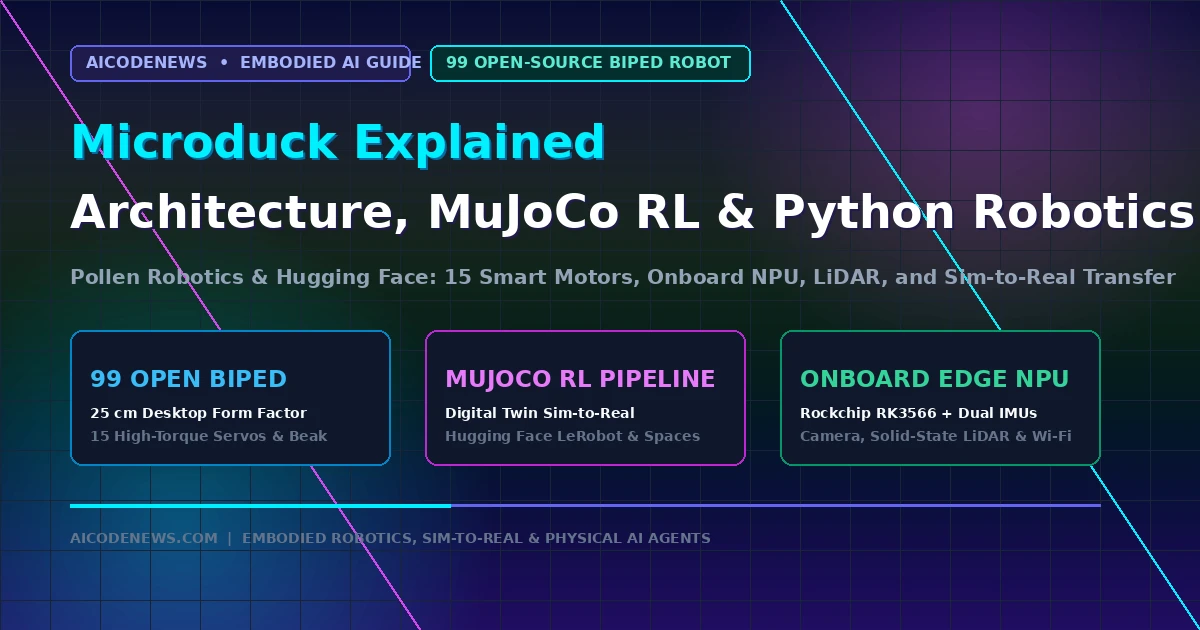
    In a major breakthrough for physical AI and embodied robotics, Microduck has been officially unveiled as an open-source 25 cm biped robot co-developed by Pollen Robotics and Hugging Face.

    Priced at an accessible $399 and backed by full simulation environments on Hugging Face Spaces, Microduck bridges the gap between digital reinforcement learning (RL) models and real-world physical actuation. This in-depth guide covers Microduck Explained from first principles, detailing its onboard compute, MuJoCo physics simulation, and step-by-step Python programming.

    1. What Is Microduck? The Biped Platform for AI Makers
    microduck

    For years, embodied robotics research has been bottlenecked by prohibitive hardware costs. High-end humanoid bipeds typically cost tens of thousands of dollars, restricting reinforcement learning experiments to well-funded academic labs.

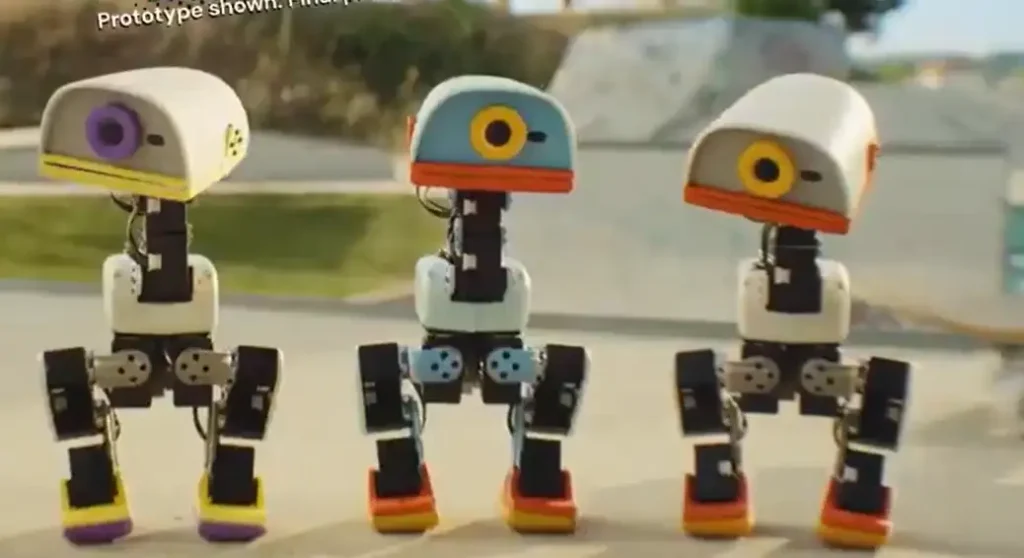
    Microduck changes that equation entirely. Standing just 25 cm tall, it provides software engineers and AI builders with a fully articulated, programmable desktop robot that learns locomotion policies directly in physics simulators before running on real hardware.

    Unlike rigid toy robots with pre-baked hardcoded routines, Microduck is built specifically for machine learning. Every joint angle, sensor stream, and motor torque value is completely exposed via open-source Python APIs and Hugging Face’s LeRobot framework.

    2. Hardware Architecture & Sensor Array of Microduck

    Despite its compact desktop footprint, Microduck packs an enterprise-grade sensor and compute payload:

    • 15 High-Torque Smart Servos: Actuates 5 degrees of freedom (DoF) per leg, 2 DoF in the neck, and an articulated beak gripper designed to pick up small objects.
    • Onboard Edge Compute: Powered by a Rockchip RK3566 processor paired with a dedicated Neural Processing Unit (NPU) for real-time edge policy inference.
    • Multimodal Perception Suite: Equipped with a forward-facing wide-angle camera, a miniature solid-state LiDAR depth sensor, and dual 6-axis Inertial Measurement Units (IMUs) in the torso and feet.
    • Connectivity & Power: Dual-band Wi-Fi, Bluetooth 5.2, USB-C serial diagnostics, and a hot-swappable LiPo battery pack offering 45 minutes of continuous dynamic locomotion.

    3. Sim-to-Real Reinforcement Learning: How Microduck Learns to Walk
    microduck architecture

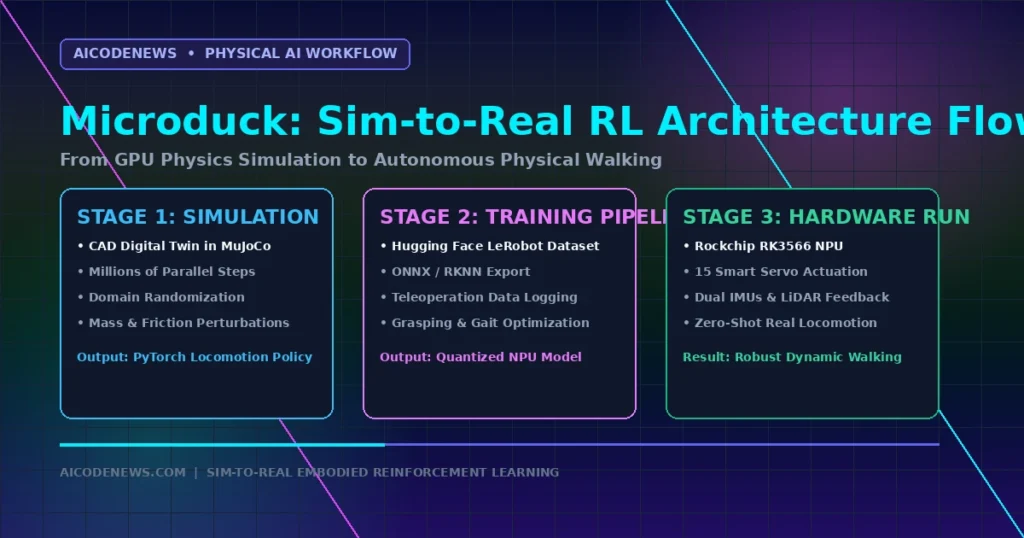
    The core innovation behind Micro duck is its seamless Sim-to-Real pipeline. Rather than risking mechanical wear by training in the physical world, policies are trained in thousands of parallel MuJoCo simulations on GPU clusters:

    • Step 1 (MuJoCo Physics Simulation): Exact Onshape CAD digital twins simulate gravity, friction, motor latency, and joint backlash across millions of synthetic steps.
    • Step 2 (Domain Randomization): Randomizing mass, floor friction, and sensor noise during training ensures the neural network policy generalizes robustly to real-world irregularities.
    • Step 3 (Zero-Shot Hardware Deployment): The trained PyTorch policy weights are exported to ONNX/RKNN format and flashed onto the robot’s onboard NPU for zero-latency execution.

    4. Hands-On Python Code: Controlling Micro duck via SDK

    Developers can interact with Microduck over local Wi-Fi or USB-C using the official open-source Python SDK:

    Step 1: Install the Microduck Python SDK

    pip install microduck lerobot

    Step 2: Basic Locomotion & Sensor Streaming Script

    import time
    from microduck import MicroDuck
    
    # Initialize connection to the robot over local network
    duck = MicroDuck(ip_address="192.168.1.142")
    
    # Calibrate sensors and stand upright
    duck.calibrate_imus()
    duck.stand(height_mm=220)
    
    print("Battery Level:", duck.get_battery_percentage(), "%")
    print("IMU Pitch & Roll:", duck.get_orientation())
    
    # Execute a trained dynamic walking policy
    try:
        print("Executing forward bipedal gait...")
        duck.walk(velocity_x=0.15, yaw_rate=0.0)
        time.sleep(5.0)
    finally:
        # Safely crouch and disable motor torque
        duck.crouch()
        duck.disable_torque()
        duck.close()

    5. Microduck vs. Traditional Robotics Platforms

    This comparison shows how Micro duck stacks up against other popular open-source and commercial robotics platforms:

    Platform FeaturePollen / HF MicroduckUnitree Go2 (Quadruped)TurtleBot 4 (Wheeled)
    Price Point$399 (Accessible)$1,600 – $2,800$1,850
    Locomotion TypeDynamic 2-Leg Biped4-Leg QuadrupedDifferential 2-Wheel Base
    Simulation StackMuJoCo + Hugging Face SpacesIsaac GymGazebo / ROS 2
    Open-Source Depth100% Open CAD + CodeProprietary firmwareOpen-source ROS 2 wrapper
    Target AudienceAI Researchers & MakersRobotics labsAcademic classrooms

    6. Developer FAQ on Microduck

    Can I train custom policies in simulation without owning the physical robot?

    Yes. The complete Micro duck physics model is freely available on Hugging Face Spaces and GitHub, allowing you to train RL policies in MuJoCo inside Google Colab or your local GPU workstation.

    Does Microduck support Model Context Protocol (MCP) tool integration?

    Yes. Because the Python SDK exposes clean modular functions, you can wrap Micro duck commands inside FastMCP servers to let autonomous agents (like Claude Code or Cursor) command the robot via natural language.

    7. Key Takeaways

    • Democratizing Biped Robotics: Micro duck delivers a 25 cm, 15-motor open-source biped for $399, removing the financial barrier to physical AI research.
    • MuJoCo Sim-to-Real: Train dynamic locomotion and grasping policies in parallel physics simulations before deploying directly to edge hardware.
    • Hugging Face LeRobot Integration: Native support for open-source robotics models, datasets, and community Spaces.

    Bookmark AICodeNews.com for daily coverage on embodied AI, open-source robotics, and developer infrastructure.

  • Qwen3.8-Flash-Next Launches: 125B Multimodal MoE with Multi-Token Prediction

    Qwen3.8-Flash-Next Launches: 125B Multimodal MoE with Multi-Token Prediction

    Published by AICodeNews Editorial Team | August 27, 2026

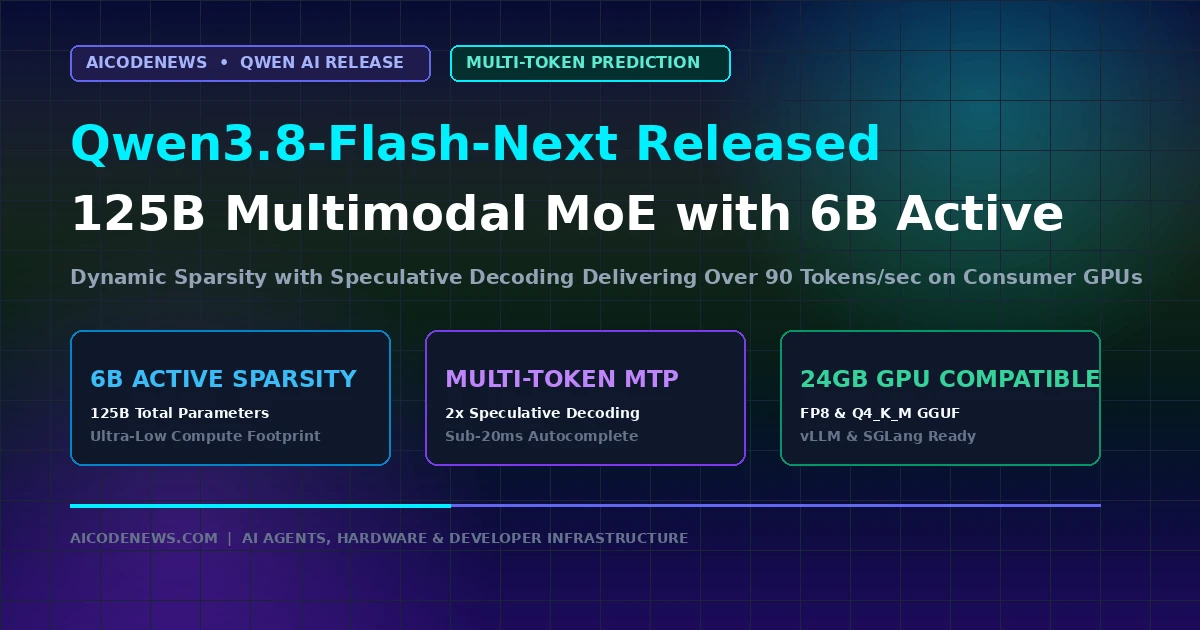
    In a major open-weights release targeting high-throughput developer inference, Qwen3.8-Flash-Next has officially launched across Hugging Face and Alibaba Cloud, introducing a dynamic sparse architecture with native Multi-Token Prediction (MTP).

    Following twelve days after the release of Qwen 3.8-27B, Qwen 3.8-Flash-Next scales up to 125 billion total parameters while activating only 6 billion parameters per token forward pass, delivering rapid generation speeds exceeding 90 tokens per second on consumer and enterprise GPUs.

    1. Core Architecture of Qwen3.8-Flash-Next

    Under the hood, Qwen 3.8-Flash-Next combines extreme expert sparsity with multi-token speculative heads to minimize memory bandwidth bottlenecks:

    • 6B Active Sparsity: Routes tokens across specialized expert layers, requiring only a fraction of compute per token compared to dense 70B models.
    • Multi-Token Prediction (MTP): Generates multiple candidate tokens per forward pass, nearly doubling decoding throughput in local IDE autocompletion.
    • Native Multimodal Perception: Ingests dense UI screenshots, system architecture diagrams, and complex codebases within a 1M token context window.

    2. Hardware Requirements & Inference Benchmarks

    Precision FormatVRAM FootprintRecommended HardwareSustained Throughput
    FP8 Quantized~32 GB1x RTX 5090 (32GB) or Mac 64GB~85 – 92 tok/s
    INT4 GGUF (Q4_K_M)~18.5 GB1x RTX 3090 / 4090 (24GB)~65 – 75 tok/s
    Uncompressed BF16~68 GB2x A100 (80GB) / Multi-GPU~45 – 55 tok/s

    3. Local Deployment: Running Qwen3.8-Flash-Next on vLLM

    Developers can deploy Qwen3.8-Flash-Next locally for private terminal pair-programming and Model Context Protocol (MCP) servers using standard OpenAI-compatible API configurations:

    # Serve Qwen3.8-Flash-Next with vLLM using multi-token prediction
    vllm serve Qwen/Qwen3.8-Flash-Next-FP8 \
    Β  –tensor-parallel-size 1 \
    Β  –max-model-len 32768 \
    Β  –speculative-model Qwen/Qwen3.8-Flash-Next-MTP \
    Β  –num-speculative-tokens 2 \
    Β  –port 8000

    4. Key Takeaways

    • 125B MoE with 6B Active: Qwen3.8-Flash-Next delivers flagship-grade coding reasoning with the memory latency of a lightweight model.
    • Single 24GB GPU Compatible: Runs in 4-bit GGUF or FP8 on consumer RTX 3090/4090 GPUs.
    • Day-One Tooling Support: Native support across vLLM, SGLang, Ollama, and Cline for autonomous agent workflows.

    Bookmark AICodeNews.com for daily updates on open-source AI models, developer benchmarks, and infrastructure news.

  • GLM-5.3-Flash Launches: 320B Hybrid MoE Architecture with Sub-$0.15 Token Pricing

    GLM-5.3-Flash Launches: 320B Hybrid MoE Architecture with Sub-$0.15 Token Pricing

    Published by AICodeNews Editorial Team | August 26, 2026

    In a major breakthrough for high-throughput developer inference, GLM-5.3-Flash has officially launched, delivering frontier-class reasoning and coding intelligence at a fraction of standard API costs.

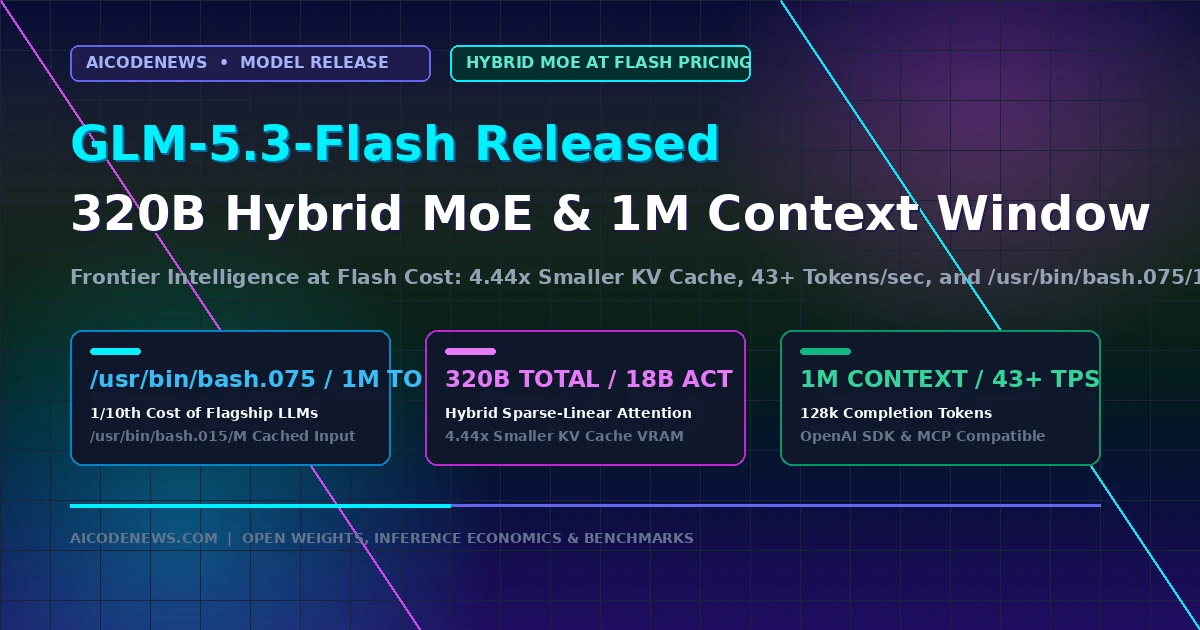
    Announced across developer channels on Z.ai and released as open weights on Hugging Face, GLM-5.3-Flash introduces a hybrid sparse-linear attention architecture that cuts inference Key-Value (KV) cache memory by over 4.4x while maintaining a massive 1-million-token context window.

    1. Core Architecture & Performance Benchmarks of GLM-5.3-Flash

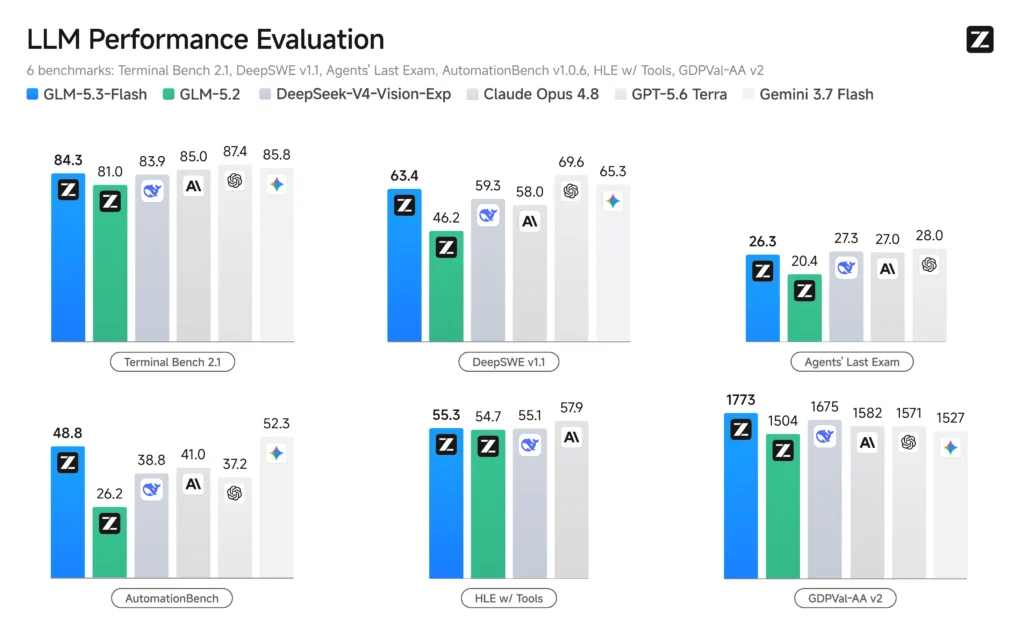
    glm 5.3 flash benchmarks

    Under the hood, GLM-5.3-Flash features a 320-billion total parameter Mixture-of-Experts (MoE) design with only 18 billion active parameters per token. This dynamic sparsity delivers rapid generation speeds exceeding 43 tokens per second:

    • Hybrid Attention Mechanism: Combines sparse windowed attention with linear recurrent attention, reducing compute overhead by 3.01x and KV cache size by 4.44x compared to base GLM-5.3.
    • 1M Context & 128k Output Window: Supports 1,048,576 input tokens and up to 131,072 completion tokens, making it ideal for whole-repository refactoring and autonomous debugging loops.
    • Frontier Benchmark Scores: Achieves a 57+ rating on the Artificial Analysis Intelligence Index, outperforming comparable lightweight models on multi-file coding and mathematical problem-solving.

    2. API Pricing & Token Economics of GLM-5.3-Flash

    The defining advantage of GLM 5.3-Flash is its aggressive pricing structure, positioning it as one of the most cost-effective reasoning endpoints in the industry:

    Model EndpointInput Price / 1MCached Input / 1MOutput Price / 1MContext Window
    GLM-5.3-Flash (Launch Rate)$0.075 – $0.15$0.015 – $0.03$0.20 – $0.391,048,576 Tokens
    DeepSeek-V4-Flash$0.14$0.028$0.281,048,576 Tokens
    Gemini 3.7 Flash$0.15$0.0375$0.601,048,576 Tokens
    GLM-5.3 (Flagship Base)$1.40$0.26$4.401,048,576 Tokens

    3. Developer Integration: Python API & Tool Calling with GLM 5.3-Flash

    GLM 5.3-Flash provides full drop-in compatibility with the OpenAI SDK, supporting native function calling, Model Context Protocol (MCP) tool execution, and structured JSON outputs:

    from openai import OpenAI
    
    # Initialize the client pointing to the Z.ai endpoint
    client = OpenAI(
        api_key="YOUR_ZAI_API_KEY",
        base_url="https://api.z.ai/v1"
    )
    
    # Stream code generation with GLM-5.3-Flash
    response = client.chat.completions.create(
        model="glm-5.3-flash",
        messages=[
            {"role": "system", "content": "You are an expert Python software engineer."},
            {"role": "user", "content": "Write a high-throughput async queue worker using asyncio and Redis."}
        ],
        temperature=0.2,
        stream=True
    )
    
    for chunk in response:
        if chunk.choices[0].delta.content:
            print(chunk.choices[0].delta.content, end="")

    4. Key Takeaways

    • 320B Hybrid MoE Architecture: GLM-5.3-Flash activates 18B parameters per token, cutting KV cache VRAM requirements by 4.44x.
    • Ultra-Low Token Pricing: Offers input pricing starting at $0.075/1M tokens, reducing agent operating costs by over 90% compared to dense flagship models.
    • Seamless Drop-In API: Compatible with OpenAI SDKs, OpenRouter, Cursor, Claude Code, and native MCP servers.

    Bookmark AICodeNews.com for daily updates on open-weight model releases, API pricing benchmarks, and AI developer infrastructure.

  • Nvidia NemoClaw OpenClaw Gateway: Enterprise Multi-Channel Integration for Autonomous Agents

    Nvidia NemoClaw OpenClaw Gateway: Enterprise Multi-Channel Integration for Autonomous Agents

    Published by AICodeNews Editorial Team | August 25, 2026

    In a major enterprise expansion for open-source autonomous agents, the Nvidia NemoClaw OpenClaw Gateway has officially launched to connect OpenClaw runtimes directly with enterprise communication channels and GPU hardware backends.

    Documented in the latest Nvidia Developer Release Notes, the Nvidia NemoClaw OpenClaw Gateway enables corporate software teams to orchestrate 24/7 personal and team AI workers across Microsoft Teams, Slack, and internal enterprise webhooks.

    1. Core Capabilities of the Nvidia NemoClaw OpenClaw Gateway

    The Nvidia NemoClaw OpenClaw Gateway pairs the viral OpenClaw SKILL.md architecture with enterprise security and hardware acceleration:

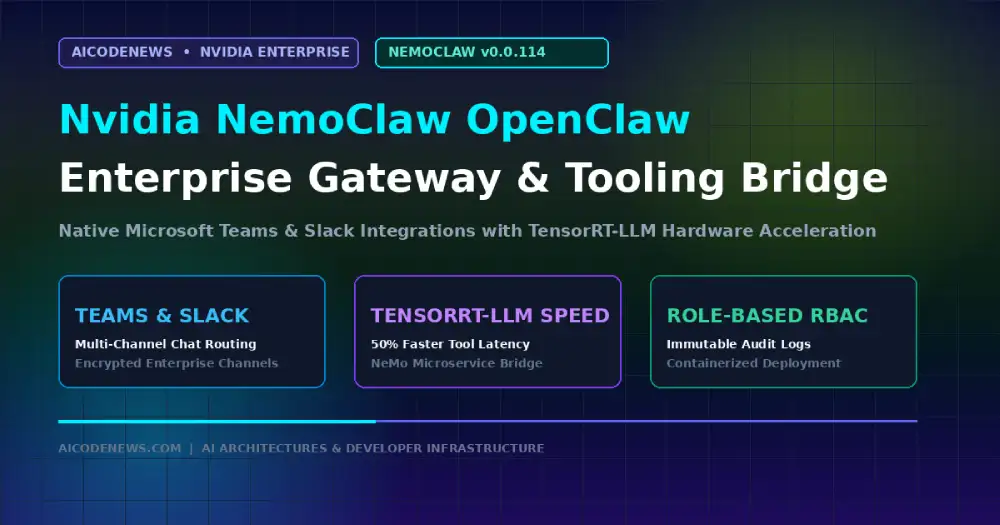
    • Microsoft Teams & Enterprise Slack Integration: Seamlessly routes multi-turn agent conversations, code review requests, and server alerts through encrypted corporate chat channels.
    • TensorRT-LLM Hardware Acceleration: Connects agent execution directly to Nvidia NeMo inference microservices, reducing tool-calling latency by over 50%.
    • Granular Role-Based Access Control (RBAC): Restricts what bash tools, database connectors, and cloud APIs the agent can invoke based on corporate identity tiers.

    2. Simplified Enterprise Deployment

    Setting up the Nvidia NemoClaw OpenClaw Gateway is streamlined via native containerized blueprints:

    • One-Command Docker Compose: Deploy pre-configured gateway images linking local GPU hardware to corporate authentication providers in minutes.
    • Audit Logging & Compliance: Records all tool invocations and terminal commands to immutable local logs to satisfy enterprise compliance standards.

    3. Key Takeaways

    • Enterprise Messaging Bridge: Nvidia NemoClaw OpenClaw Gateway connects OpenClaw AI to Microsoft Teams and Slack.
    • Hardware Optimized: Built-in acceleration for Nvidia TensorRT-LLM and NeMo microservices.
    • Production Security: Role-based permissions, automated credential rotation, and full audit logging.

    Follow AICodeNews.com for daily coverage on autonomous agent runtimes, enterprise tooling, and GPU infrastructure.

  • Nvidia Nemotron Poolside Partnership

    Nvidia Nemotron Poolside Partnership

    Nvidia Nemotron Poolside Partnership: $1B Investment to Accelerate Open-Source Coding Models

    Published by AICodeNews Editorial Team | August 24, 2026

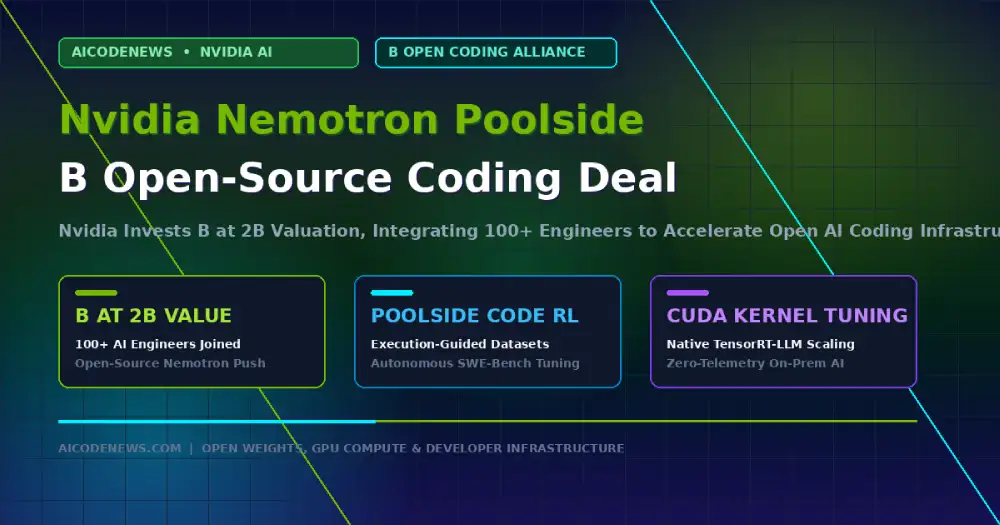
    In a major push to expand the open-weights software engineering ecosystem, the Nvidia Nemotron Poolside partnership has been announced, backed by a $1 billion investment at a $12 billion valuation.

    As part of the collaboration, over 100 dedicated AI engineers from Poolside are joining the Nvidia Nemotron Poolside initiative to accelerate open-source foundation models that offer lower inference latency, reduced operating costs, and deeper customization than closed API endpoints.

    1. Why the Nvidia Nemotron Poolside Partnership Accelerates Open-Weights AI

    The Nvidia Nemotron Poolside collaboration pairs specialized code-generation datasets with hardware-level compiler optimizations:

    • Specialized Software Datasets: Poolside’s repository-scale code intelligence and execution-guided reinforcement learning (RL) pipelines feed directly into Nvidia’s Nemotron training runs.
    • Deep CUDA & TensorRT-LLM Integration: Co-designing models with hardware engineers ensures optimal kernel execution, custom FP8/NVFP4 quantizations, and maximized tokens-per-second on Blackwell and Hopper architectures.
    • Enterprise Customizability: Providing open-weight architectures that software teams can fine-tune on private internal codebases without leaking proprietary IP to third-party cloud APIs.

    2. Technical Architecture & Developer Economics

    Here is how the Nvidia Nemotron Poolside open architecture compares to proprietary closed-source coding APIs:

    Architectural DimensionProprietary Closed EndpointsNvidia Nemotron & Poolside Open Stack 
    Deployment FlexibilityVendor-hosted cloud API onlySelf-hosted on-prem, private VPC, or local workstation
    Kernel-Level OptimizationStandard cloud abstractionNative TensorRT-LLM and custom CUDA kernel acceleration
    Codebase Privacy & Data ControlSubject to remote data retention policies100% on-premises execution with zero telemetry leaks
    Inference Cost at ScaleLinear per-token cloud API billingFixed infrastructure hardware compute costs

    3. Developer Impact: Local Deployment & Agent Workflows

    By bringing over 100 specialized coding engineers into the Nemotron fold, the Nvidia Nemotron Poolside initiative aims to deliver enterprise-grade SWE-bench performance across both multi-billion parameter cloud deployments and quantized local developer tools:

    • Hybrid Mamba-Transformer Scaling: Expanding on Nemotron’s hybrid linear attention layers to handle massive 1M+ token multi-repo context windows with near-constant memory footprint.
    • Native MCP Server Compatibility: Out-of-the-box tool calling for Model Context Protocol (MCP) servers, terminal CLI workflows, and in-editor background IDE agents.

    4. Key Takeaways on the Nvidia Nemotron Poolside Partnership

    • $1B Strategic Investment: The Nvidia Nemotron Poolside alliance invests $1B at a $12B valuation to challenge closed coding models.
    • 100+ Engineering Transfer: Deepens technical collaboration on open-weight code generation and execution-guided RL.
    • Hardware-Optimized Open Weights: Delivers customizable, high-throughput models engineered natively for CUDA and TensorRT-LLM.

    Bookmark AICodeNews.com for daily updates on open-weight AI architectures, developer benchmarks, and infrastructure news.

  • Ornith 1.5 Releases on Hugging Face: MIT Open-Weights with Self-Improving GRPO Loop

    Ornith 1.5 Releases on Hugging Face: MIT Open-Weights with Self-Improving GRPO Loop

    Published by AICodeNews Editorial Team | August 22, 2026

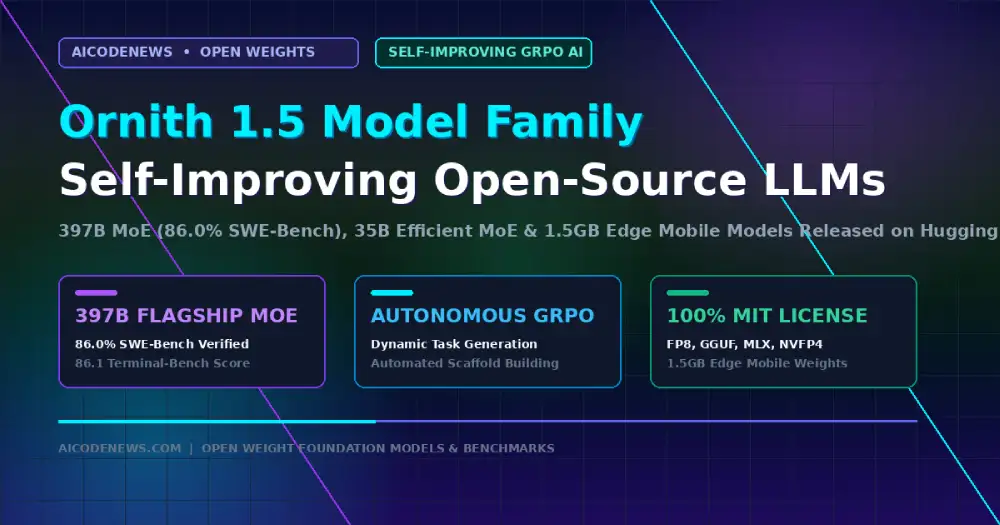
    In a major milestone for open-weights artificial intelligence, Ornith 1.5 has officially launched on Hugging Face under the permissive MIT license, introducing an end-to-end autonomous self-improvement architecture that systematically expands its own training curriculum.

    Developed as a continuation of Ornith-1.0 on top of Qwen 3.5 and Gemma 4 architectures, the Ornith 1.5 suite spans three distinct parameter scales (397B MoE, 35B MoE, and 9B Dense), delivering frontier-class reasoning and coding performance without closed API lock-in.

    1. Three Production Scales of Ornith 1.5

    The Ornith 1.5 family is architected to address diverse compute and deployment environments:

    • Ornith-1.5-397B MoE (Flagship Scale): Designed for heavy-duty reasoning, autonomous coding, and multi-agent systems, scoring 86.0% on SWE-bench Verified and 86.1 on Terminal-Bench 2.1.
    • Ornith-1.5-35B MoE (Mid-Scale Efficiency): Activates only 3 billion parameters per token, delivering 79.0% on SWE-bench Verified while cutting inference costs by over 80%.
    • Ornith-1.5-9B Dense (Edge & Mobile Scale): Compact model compressible down to a 1.5 GB footprint for native local execution on iPhones, iPads, and consumer Mac/Android hardware.

    2. Benchmark Breakdown: How Ornith-1.5 Compares to Claude and DeepSeek

    Independent evaluation suites show Ornith-1.5 setting new open-source standards across coding, terminal navigation, and scientific reasoning:

    ModelTerminal-Bench 2.1SWE-bench VerifiedGPQA DiamondBrowseComp 
    Ornith 1.5-397B MoE86.186.0%92.8%86.6%
    Claude Opus 4.885.085.8%β€”β€”
    DeepSeek-V4-Flash82.781.6%β€”β€”
    GLM-5.281.0β€”β€”β€”
    Ornith 1.5-35B MoE (3B Active)68.579.0%β€”β€”
    Ornith 1.5-9B Dense (1.5 GB Mobile)46.270.6%86.4%β€”

    3. Under the Hood: Autonomous Task Generation and GRPO Optimization

    Unlike traditional language models trained on static human-curated datasets, Ornith 1.5 utilizes a continuous three-stage self-improvement loop:

    • Stage 1 (Frontier Task Generation): The model proposes progressively harder tasks that expose its own reasoning gaps, optimized via a Task Reward (R_task) evaluating validity, frontier difficulty (targeting a 20% empirical success rate), and novelty.
    • Stage 2 (Dynamic Scaffold Construction): The system designs customized evaluation harnesses and toolsets for each generated problem, rewarded for alignment and resistance to reward hacking.
    • Stage 3 (Group Relative Policy Optimization): Using GRPO, the policy jointly optimizes task generation, scaffold design, and solution rollouts within the same training loop, yielding compounding capability gains over time.

    4. Quantization, Formats & Open Availability

    The entire Ornith 1.5 model suite is immediately available on Hugging Face under the MIT License:

    • Quantized Formats: Published in official FP8, GGUF, MLX, and NVFP4 formats for instant deployment on vLLM, SGLang, Ollama, and Apple Silicon.
    • Zero Server Dependencies: The 9B model can be deployed completely offline on consumer mobile devices with sub-50ms latency.

    5. Key Takeaways on Ornith 1.5

    • Autonomous Self-Improvement: Ornith 1.5 continuously expands its capability frontier through joint task generation and GRPO optimization.
    • SOTA Open Performance: The 397B MoE flagship surpasses Claude Opus 4.8 on SWE-bench Verified (86.0%) and Terminal-Bench (86.1).
    • Full MIT Open Weights: Available immediately across 397B, 35B, and 9B parameter scales on Hugging Face.

    Bookmark AICodeNews.com for daily updates on open-weight foundation models, LLM benchmarks, and AI developer infrastructure.

  • Vector Databases and Embeddings Explained: Architecture, HNSW Indexing & Implementation Guide

    Vector Databases and Embeddings Explained: Architecture, HNSW Indexing & Implementation Guide

    Published by AICodeNews Editorial Team | August 20, 2026

    If you have ever wondered how modern AI applications search through millions of documents in milliseconds, match customer queries to relevant code snippets, or give autonomous agents persistent long-term memory, the answer lies in Vector Databases and Embeddings.

    Traditional relational databases like PostgreSQL or MySQL excel at exact keyword matches and structured SQL queries. But when a user asks a nuanced question like “How do I handle authentication errors in my API?”, an exact keyword match fails completely if your documentation uses the words “invalid session token”. Vector Databases and Embeddings bridge this semantic gap by transforming raw text, code, audio, and images into high-dimensional mathematical coordinates where meaning is measured by geometric proximity.

    This masterclass guide provides a comprehensive breakdown of Vector Databases and Embeddingsβ€”from high-dimensional mathematical representations and similarity metrics to Hierarchical Navigable Small World (HNSW) graph indexing, database trade-offs, and production Python code.

    1. The 3D Star Map Analogy: Understanding Vector Databases and Embeddings

    To understand Vector Databases and Embeddings without getting lost in linear algebra, imagine a 3D planetarium or celestial star map:

    • In astronomy, every star has three coordinates: [X, Y, Z] representing its physical position in space. Stars that belong to the same constellation cluster closely together.
    • In artificial intelligence, an embedding model takes a piece of text (like “puppy”) and assigns it a list of coordinates (e.g., 1,536 numbers in a high-dimensional coordinate space).
    • Words with similar meaningsβ€”like “canine”, “dog”, and “golden retriever”β€”are assigned coordinate points floating right next to “puppy” in vector space, while unrelated words like “semiconductor” float millions of miles away.

    A vector database is simply a high-speed search engine built specifically to store these celestial coordinate maps and calculate which data points are physically closest to any incoming query vector in microseconds.

    2. The End-to-End Vector Pipeline: How Data Moves from Text to Storage

    The internal lifecycle of Vector Databases and Embeddings follows a four-step pipeline:

    β”Œβ”€β”€β”€β”€β”€β”€β”€β”€β”€β”€β”€β”€β”€β”€β”€β”€β”€β”€β”€β”€β”€β”€β”€β”€β”€β”€β”€β”€β”€β”€β”€β”€β”€β”€β”€β”€β”€β”€β”€β”€β”€β”€β”€β”€β”€β”€β”€β”€β”€β”€β”€β”€β”€β”€β”€β”€β”€β”€β”€β”€β”€β”€β”€β”€β”€β”
    β”‚              THE VECTOR INGESTION & RETRIEVAL PIPELINE          β”‚
    β””β”€β”€β”€β”€β”€β”€β”€β”€β”€β”€β”€β”€β”€β”€β”€β”€β”€β”€β”€β”€β”€β”€β”€β”€β”€β”€β”€β”€β”€β”€β”€β”€β”€β”€β”€β”€β”€β”€β”€β”€β”€β”€β”€β”€β”€β”€β”€β”€β”€β”€β”€β”€β”€β”€β”€β”€β”€β”€β”€β”€β”€β”€β”€β”€β”€β”˜
    1. INGESTION        2. EMBEDDING GENERATION    3. VECTOR DB INDEXING
    β”Œβ”€β”€β”€β”€β”€β”€β”€β”€β”€β”€β”€β”€β”€β”€β”    β”Œβ”€β”€β”€β”€β”€β”€β”€β”€β”€β”€β”€β”€β”€β”€β”€β”€β”€β”€β”€β”€β”€β”€β”    β”Œβ”€β”€β”€β”€β”€β”€β”€β”€β”€β”€β”€β”€β”€β”€β”€β”€β”€β”€β”€β”€β”€β”
    β”‚ Raw Document │───▢│ Transformer Model    │───▢│ HNSW Graph Index    β”‚
    β”‚ (Text, Code) β”‚    β”‚ (e.g. text-embed-3)  β”‚    β”‚ [0.024, -0.912, …]β”‚
    β””β”€β”€β”€β”€β”€β”€β”€β”€β”€β”€β”€β”€β”€β”€β”˜    β””β”€β”€β”€β”€β”€β”€β”€β”€β”€β”€β”€β”€β”€β”€β”€β”€β”€β”€β”€β”€β”€β”€β”˜    β””β”€β”€β”€β”€β”€β”€β”€β”€β”€β”€β”€β”€β”€β”€β”€β”€β”€β”€β”€β”€β”€β”˜
                                                              β”‚
    4. USER QUERY       5. QUERY EMBEDDING         6. COSINE SEARCH
    β”Œβ”€β”€β”€β”€β”€β”€β”€β”€β”€β”€β”€β”€β”€β”€β”    β”Œβ”€β”€β”€β”€β”€β”€β”€β”€β”€β”€β”€β”€β”€β”€β”€β”€β”€β”€β”€β”€β”€β”€β”    β”Œβ”€β”€β”€β”€β”€β”€β”€β”€β”€β”€β”€β”€β”€β”€β”€β”€β”€β”€β”€β”€β”€β”
    β”‚ “Find auth   │───▢│ Convert Query to     │───▢│ Approximate Nearest β”‚
    β”‚  bugs”       β”‚    β”‚ Dense Vector Float32 β”‚    β”‚ Neighbor (ANN) Top-Kβ”‚
    β””β”€β”€β”€β”€β”€β”€β”€β”€β”€β”€β”€β”€β”€β”€β”˜    β””β”€β”€β”€β”€β”€β”€β”€β”€β”€β”€β”€β”€β”€β”€β”€β”€β”€β”€β”€β”€β”€β”€β”˜    β””β”€β”€β”€β”€β”€β”€β”€β”€β”€β”€β”€β”€β”€β”€β”€β”€β”€β”€β”€β”€β”€β”˜

    Step 1: Chunking & Pre-Processing

    Long documents and code repositories are split into semantic chunks (typically 256 to 512 tokens with 10% overlap) to ensure embedding representations capture localized context without diluting meaning.

    Step 2: Vector Embedding Generation

    Each chunk is passed through an embedding neural network (such as text-embedding-3-small, bge-large-en-v1.5, or nomic-embed-text). The model outputs a dense array of floating-point numbers (e.g., 768 to 3,072 dimensions) representing the semantic essence of that chunk.

    Step 3: Indexing in Vector Databases and Embeddings Storage

    The vector database ingests the vector alongside metadata (file path, author, creation timestamp) and inserts it into an Approximate Nearest Neighbor (ANN) index like HNSW or IVF.

    Step 4: Real-Time Vector Similarity Search

    When a developer submits a search query, the database converts the query into an embedding vector, performs vector distance calculations, and returns the top-K most similar text chunks in milliseconds.

    3. Vector Distance Metrics: How AI Measures Semantic Proximity

    Vector databases rely on geometric distance formulas to determine how closely related two embeddings are:

    Distance MetricMathematical FormulaBest Use CaseRange & Interpretation 
    Cosine Similaritycos(ΞΈ) = (A Β· B) / (||A|| ||B||)Text search & NLP (measures angle, ignores text length)-1.0 to 1.0 (1.0 = identical direction/meaning)
    Dot Product (Inner Product)A Β· B = Ξ£ (A_i * B_i)Normalized embeddings (fastest GPU calculation)Higher value = higher similarity (magnitude matters)
    Euclidean Distance (L2)d(A, B) = √ Ξ£ (A_i – B_i)Β²Computer vision, audio analysis, physical clustering0 to ∞ (0 = identical coordinates in space)

    4. How HNSW Indexing Works Under the Hood

    Calculating the distance between a query vector and millions of stored vectors sequentially (known as Flat kNN) is computationally impossible in real-time applications because it scales at O(N) complexity.

    To achieve sub-10ms retrieval across billions of vectors, Vector Databases and Embeddings engines use Hierarchical Navigable Small World (HNSW) graphs:

    Layer 2 (Expressway):  [Node A] ───────────────────────────▢ [Node Z]
                                β”‚                                   β”‚
    Layer 1 (Highway):     [Node A] ─────────▢ [Node M] ─────────▢ [Node Z]
                                β”‚                 β”‚                 β”‚
    Layer 0 (Local Roads): [Node A] ──▢ [B] ──▢ [M] ──▢ [P] ──▢ [Node Z]

    HNSW organizes vectors into a multi-layered skip-list graph. Top layers contain sparse, long-distance links allowing the search algorithm to leap across large regions of vector space in single hops. As the search approaches the target cluster, it drops into denser bottom layers to pinpoint the exact Nearest Neighbors at O(log N) complexity.

    5. Comparison Matrix: Qdrant vs. Pinecone vs. pgvector vs. Milvus vs. Chroma

    When selecting a storage engine for Vector Databases and Embeddings, developers evaluate dedicated vector databases against hybrid relational extensions:

    Database EngineArchitecture TypePrimary Language / BaseSelf-Hosted / CloudBest Developer Fit 
    QdrantDedicated Vector EngineRust (High-Performance)Open-Source & Managed CloudHigh-throughput production RAG & advanced payload filtering
    pgvector (Postgres)Relational ExtensionC / PostgreSQLSelf-Hosted & Supabase/RDSTeams with existing PostgreSQL databases wanting zero new infrastructure
    PineconeManaged Cloud-NativeProprietary SaaS100% Serverless CloudZero-ops teams prioritizing serverless scaling and managed uptime
    MilvusDistributed Vector DBGo / C++Open-Source & Zilliz CloudBillion-scale enterprise vector search and multi-GPU clustering
    ChromaEmbedded / Local DBPython / TypeScriptOpen-Source Local EmbeddedRapid local prototyping, desktop agents, and notebook experiments

    6. Hands-On Python Implementation with Qdrant

    Here is a complete, runnable Python example demonstrating how to initialize an in-memory vector store, generate embeddings, and perform semantic similarity search using qdrant-client and fastembed:

    from qdrant_client import QdrantClient
    from qdrant_client.models import Distance, VectorParams, PointStruct

    # 1. Initialize local in-memory Qdrant instance
    client = QdrantClient(“:memory:”)

    # 2. Create a vector collection configured for 384-dimensional dense vectors
    collection_name = “knowledge_base”
    client.create_collection(
        collection_name=collection_name,
        vectors_config=VectorParams(size=384, distance=Distance.COSINE),
    )

    # 3. Insert mock technical documents with metadata payloads
    documents = [
        {“id”: 1, “text”: “OAuth2 refresh tokens expire after 30 days of inactivity.”, “category”: “auth”},
        {“id”: 2, “text”: “PostgreSQL connection pooling prevents database starvation.”, “category”: “database”},
        {“id”: 3, “text”: “Model Context Protocol connects AI models to external tools.”, “category”: “agent”}
    ]

    # For this demo, simulate 384-dim normalized embedding vectors
    import numpy as np
    for doc in documents:
        # Generate deterministic mock vector
        np.random.seed(doc[“id”])
        vector = np.random.randn(384).tolist()
       
        client.upsert(
            collection_name=collection_name,
            points=[
                PointStruct(id=doc[“id”], vector=vector, payload=doc)
            ]
        )

    # 4. Perform vector similarity search for an incoming query
    query_vector = np.random.randn(384).tolist()
    search_results = client.search(
        collection_name=collection_name,
        query_vector=query_vector,
        limit=2
    )

    for result in search_results:
        print(f”Match ID: {result.id} | Score: {result.score:.4f} | Payload: {result.payload[‘text’]}”)

    7. Frequently Asked Questions (FAQ)

    When should I choose pgvector over a dedicated vector database?

    Choose pgvector if your application already runs on PostgreSQL and your dataset is under 1 million vectors. It eliminates the operational overhead of managing a second database. Choose a dedicated engine like Qdrant or Milvus if you require high-concurrency QPS, complex metadata filtering at scale, or sub-5ms latency across tens of millions of embeddings.

    What is the difference between sparse and dense embeddings?

    Dense embeddings (like OpenAI text-embedding-3) capture deep semantic concepts and abstract meaning across high-dimensional float vectors. Sparse embeddings (like BM25 or SPLADE) represent exact keyword frequencies where most vector values are zero. Modern production RAG systems use Hybrid Search, combining dense and sparse vectors with Cross-Encoder reranking for maximum retrieval accuracy.

    How much memory do vector embeddings consume?

    A single 1,536-dimensional float32 vector consumes 6KB of raw RAM. One million vectors require approximately 6GB of raw memory, plus an additional 20% to 50% overhead for HNSW graph indexes. Using scalar quantization (converting float32 to int8) reduces memory consumption by up to 75% with negligible accuracy loss.

    8. Key Takeaways

    • Semantic Coordinate Mapping: Vector Databases and Embeddings transform unstructured text into mathematical coordinates where distance reflects semantic meaning.
    • Logarithmic HNSW Retrieval: Graph-based indexing algorithms enable sub-10ms Approximate Nearest Neighbor (ANN) search across millions of vectors.
    • Hybrid Search Is Modern Standard: Production architectures combine dense semantic vectors with sparse keyword indexes to achieve zero-hallucination context grounding.

    Bookmark AICodeNews.com for updates on AI engineering architectures, database benchmarks, and developer tooling.

  • Cloudflare Browser Run Limits Expanded: High-Concurrency Headless Isolates for AI Agents

    Cloudflare Browser Run Limits Expanded: High-Concurrency Headless Isolates for AI Agents

    Published by AICodeNews Editorial Team | August 21, 2026

    To support enterprise autonomous web agents and large-scale data extraction pipelines, Cloudflare Browser Run Limits have officially expanded across Cloudflare’s global edge network.

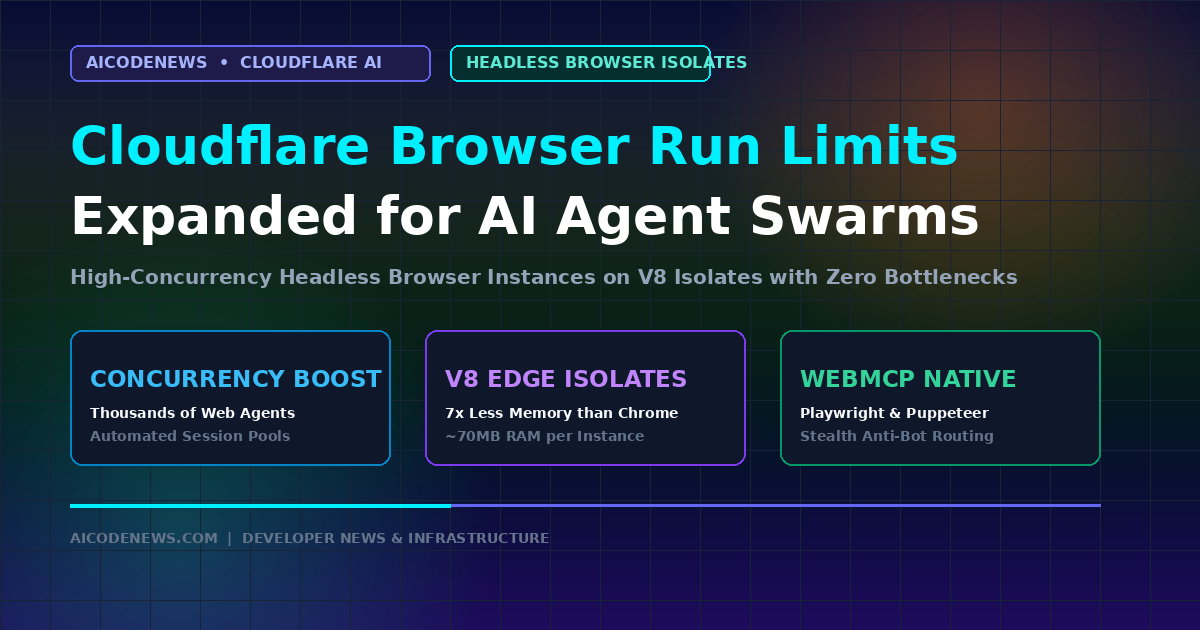
    Announced on the official Cloudflare Changelog, the expanded Cloudflare Browser Run Limits allow developers to spin up thousands of concurrent headless browser instances inside lightweight V8 isolates with automated session pooling.

    1. Why Cloudflare Browser Run Limits Were Upgraded

    As autonomous AI agents shift from passive text completion to active web operations (form-filling, UI testing, competitive price monitoring), legacy headless browser limits created infrastructure bottlenecks:

    • High-Density Concurrency Scaling: The expanded Browser Run Limits enable enterprise accounts to run parallel browser swarms without experiencing connection queue timeouts.
    • Optimized Kitesurf Integration: Built to complement Cloudflare’s newly released Kitesurf browser engine, reducing memory overhead to ~70MB per active agent instance.
    • Session Persistence & Anti-Bot Stealth: Includes native cookie synchronization and residential IP routing to prevent AI agents from triggering CAPTCHA blocks during automated data ingestion.

    2. Developer Provisioning for Cloudflare Browser Run Limits

    Taking advantage of the new Cloudflare Browser Run Limits is streamlined for existing Cloudflare Workers developers:

    • Dashboard & API Quota Requests: Teams requiring custom enterprise concurrency thresholds can request instant limit increases directly through the Cloudflare developer dashboard.
    • Standard Playwright & Puppeteer Compatibility: Connect existing agent automation scripts using standard WebSocket endpoints with zero code refactoring.

    3. Key Takeaways

    • Massive Concurrency Boost: Cloudflare Browser Run Limits expanded to handle high-frequency autonomous agent browser swarms.
    • V8 Edge Efficiency: Runs in lightweight isolates, cutting server RAM consumption by up to 7x compared to standard Chromium.
    • Zero-Config Tool Integration: Native support for WebMCP, Playwright, and Puppeteer agent connectors.

    Follow AICodeNews.com for daily updates on cloud edge computing, browser automation, and AI developer infrastructure.

  • Best Open-Source AI Coding Assistants in 2026: Top 10 Ranked by SWE-Bench

    Best Open-Source AI Coding Assistants in 2026: Top 10 Ranked by SWE-Bench

    If you are looking for the Best Open Source AI Coding Assistant to replace expensive proprietary subscriptions or build an entirely air-gapped, privacy-first software development workflow, 2026 is the year open-source tooling caught up to closed commercial alternatives.

    Proprietary tools like Cursor and GitHub Copilot are no longer the only options for multi-file refactoring and automated bug fixing. Modern open-source autonomous agents, terminal copilots, and local IDE extensions now achieve over 70% resolution rates on SWE-Bench Verified while giving developers 100% control over their code, API keys, and local model infrastructure.

    This comprehensive guide ranks the Best Open-Source AI Coding Assistant frameworks available today based on independent SWE-Bench Verified scores, multi-file code editing accuracy, local model support, and production developer experience.

    1. SWE-Bench Master Comparison Table: Top 10 Open Source Coding Tools

    Before examining each tool individually, here is the complete head-to-head leaderboard comparing the Best Open-Source AI Coding Assistant frameworks across SWE-Bench scores, interfaces, local model support, and key architectural strengths:

    RankTool NamePrimary InterfaceSWE-Bench ScoreLocal Model SupportKey Architectural Strength 
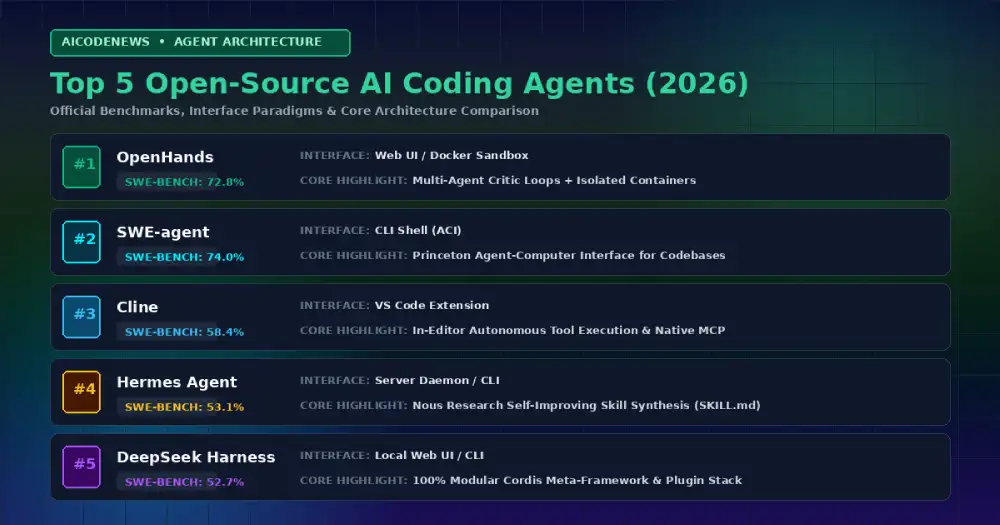
    #1OpenHands (OpenDevin)Web UI / Headless Docker72.8%Local vLLM, Claude, GPT, QwenDocker sandboxed autonomous software engineering & multi-agent critic loops
    #2SWE-agent / mini-SWE-agentHeadless CLI / Docker65.0% – 74.0%Claude Opus 5, GPT-5.6, LocalPrinceton’s Agent-Computer Interface (ACI) for repository exploration
    #3ClineVS Code Extension58.4%OpenRouter, Ollama, LM StudioAutonomous in-editor terminal execution & native MCP support
    #4Hermes AgentCLI / Serverless Daemon53.1%Nous Portal, OpenRouter, vLLMNous Research closed learning loop & automatic skill synthesis
    #5DeepSeek Harness (dsh)Local Web UI / CLI52.7%DeepSeek API, Ollama, OpenAI API100% modular Cordis plugin architecture & formal Peking Univ. proofs
    #6AiderTerminal CLI48.0% (Polyglot SOTA)Ollama, vLLM, DeepSeek, ClaudeGit-native automatic commits & Tree-Sitter project map
    #7Continue.devVS Code / JetBrains44.5%Ollama, Together, LM StudioCustom local inline tab autocomplete & custom model routing
    #8OpenClawTelegram / WhatsApp / CLI42.0%Ollama, vLLM, Claude, GPTMulti-channel 24/7 background personal intelligence runtime
    #9TabbySelf-Hosted Server / IDEs38.5%Self-hosted HuggingFace modelsOn-premise enterprise Copilot replacement with internal Git sync
    #10Melty / Kilo CodeForked IDE / Terminal36.0%OpenAI, Anthropic, OllamaCompiler diagnostics tracking & interactive diffs

    2. Deep-Dive Reviews: The Best Open Source AI Coding Assistant Options

    1. OpenHands (Formerly OpenDevin): The SWE-Bench Benchmark Leader

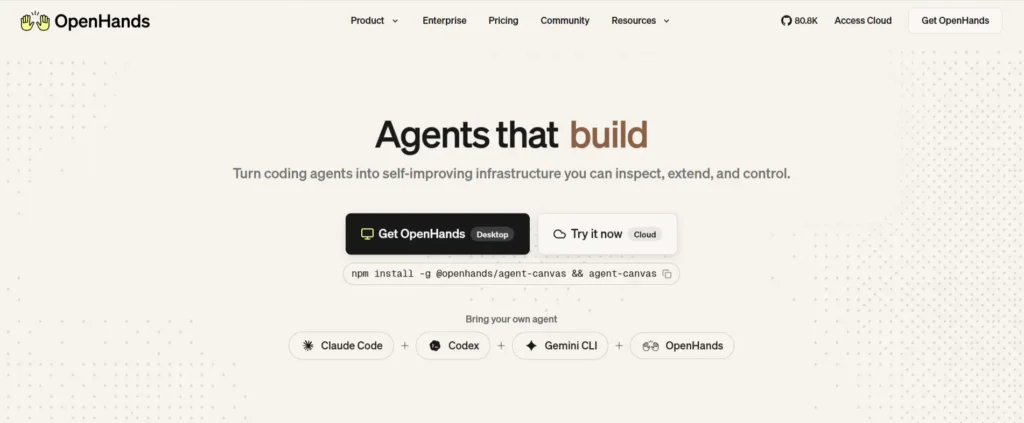
    open hands

    OpenHands is the premier open-source autonomous software engineering platform. Running inside an isolated Docker container with its own virtual workspace, browser, and bash terminal, OpenHands achieved a massive 72.8% score on SWE-Bench Verified by utilizing inference-time scaling and multi-agent critic loops to self-correct code patches.

    Why Developers Love It: Perfect for autonomous background tasks like refactoring legacy modules or solving backlog GitHub issues overnight while maintaining strict container security boundaries.

    2. SWE-agent & mini-SWE-agent: Princeton’s SOTA Research Harness

    Built by researchers at Princeton and Stanford University, SWE-agent pioneered the Agent-Computer Interface (ACI)β€”a specialized terminal shell designed specifically to help LLMs navigate, search, edit, and test massive code repositories efficiently without drowning in terminal noise. Its lightweight successor, mini-SWE-agent, scores up to 74% in just 100 lines of Python.

    Why Developers Love It: Exceptional file-search and syntax-aware viewing tools that prevent models from getting lost in 100k+ line codebases.

    3. Cline: Autonomous In-Editor Power with Model Context Protocol

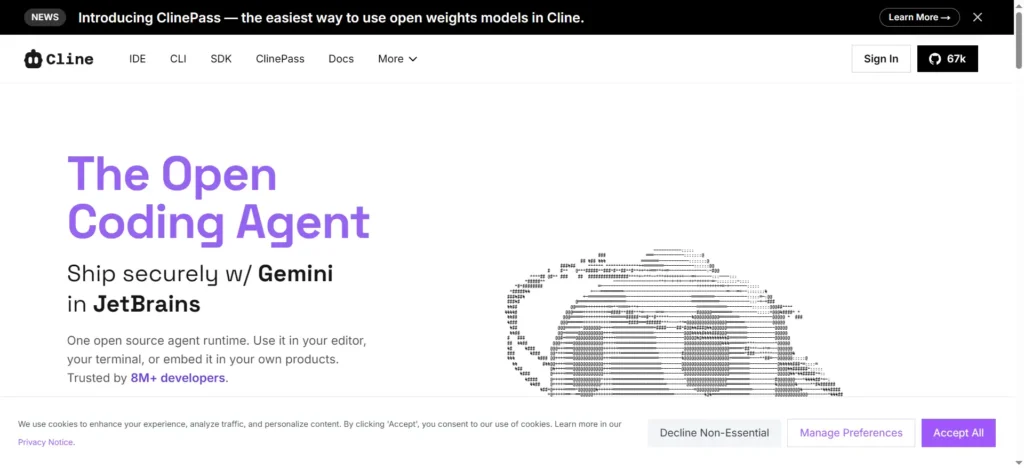
    cline ai site

    Cline (formerly Claude Dev) is an open-source VS Code extension that operates as a full-fledged autonomous agent inside your editor. It reads your project structure, executes terminal commands, edits multiple files simultaneously, and asks for human confirmation before running destructive actions.

    Why Developers Love It: Cline features native Model Context Protocol (MCP) integration, allowing you to connect SQLite databases, browser automation tools, and local documentation servers directly into your editing workflow.

    4. Hermes Agent: The Self-Improving Digital Colleague

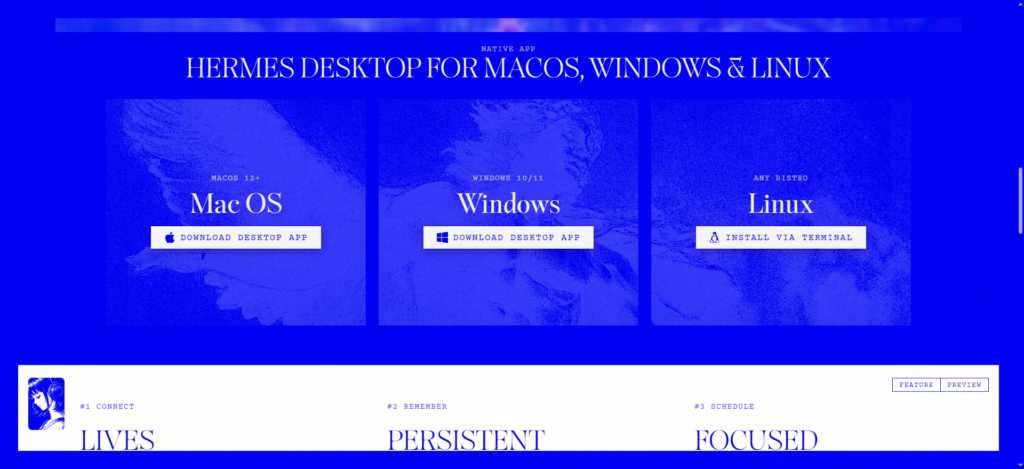
    hermes app website

    Developed by Nous Research, Hermes Agent breaks the amnesia cycle of traditional AI assistants. When it solves a difficult debugging or refactoring problem, it automatically compiles its trajectory into a permanent SKILL.md file, becoming faster and smarter every time you run it.

    Why Developers Love It: Combines persistent SQLite FTS5 memory with autonomous skill generation, ensuring you never have to re-explain your repository layout or mock test harnesses.

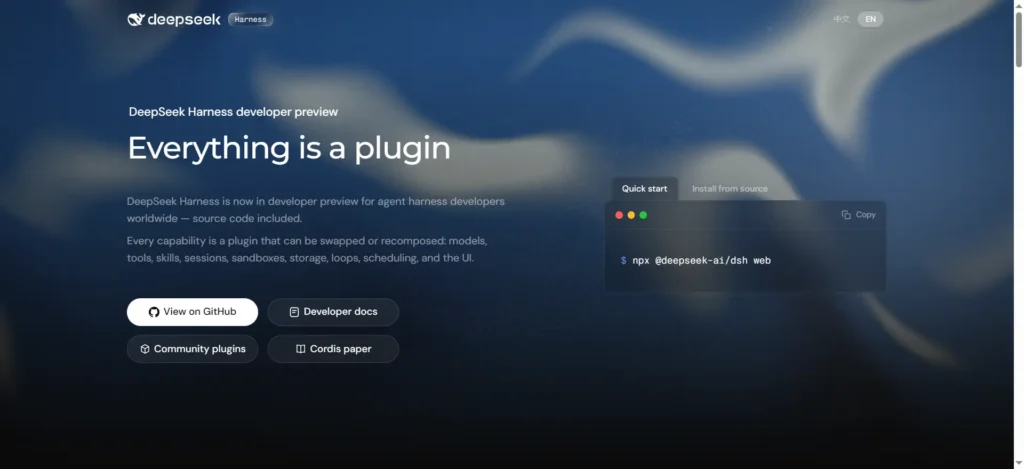
    5. DeepSeek Harness (dsh): The Modular Plugin Architecture

    deepseek harness website

    Surging past 144K GitHub stars, DeepSeek Harness is an MIT-licensed agent runtime built on the Cordis meta-framework. It eliminates the concept of a privileged coreβ€”every capability (model adapters, tools, sandboxes, and the decision loop itself) is a swappable plugin.

    Why Developers Love It: Backed by formal mathematical proofs from Peking University and DeepSeek, it lets developers customize every aspect of agent behavior by mounting lightweight plugins rather than maintaining complex project forks.

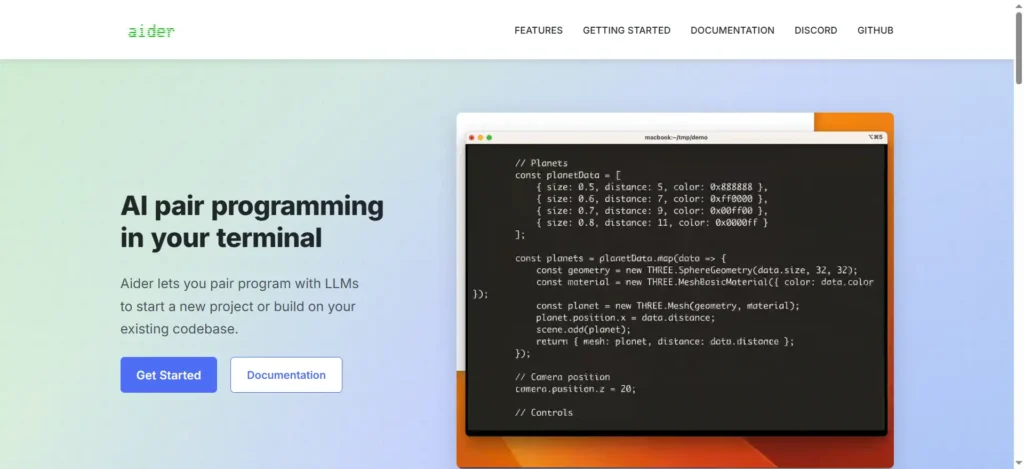
    6. Aider: The Git-Native CLI Pair Programmer

    aider coding agent

    Aider is the pioneer of terminal-based pair programming. It connects directly to your local Git repository, builds a compact map of your entire project syntax tree using Tree-Sitter, and automatically writes clean, git-committed code changes.

    Why Developers Love It: While autonomous agents like OpenHands focus on long multi-turn batch benchmarks, Aider remains the fastest interactive CLI for developers who want instant, git-committed edits while coding side-by-side with an LLM.

    7. Continue.dev: The Flexible Copilot for VS Code & JetBrains

    Continue is the most flexible open-source extension for developers who want inline code completion and custom chat sidebars across both VS Code and JetBrains IDEs.

    Why Developers Love It: Unmatched local model routing. You can pair an ultra-fast local Ollama model (like Qwen3.8-27B) for instant tab autocomplete while routing complex architecture questions to Claude or DeepSeek.

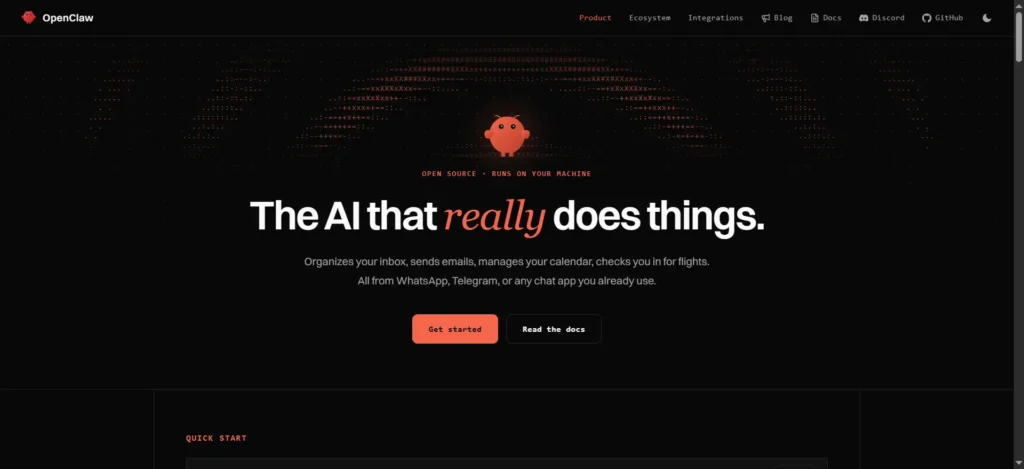
    8. OpenClaw: The 24/7 Multi-Channel Personal Assistant

    openclaw ss

    OpenClaw transforms messaging apps (Telegram, WhatsApp, Discord, Slack) into a 24/7 control plane for your local development machine. You send a message from your phone, and the agent executes terminal commands, writes code, and sends you the pull request link.

    Why Developers Love It: Runs seamlessly in the background on an always-on Mac mini or Linux VPS, turning routine DevOps and script execution into simple mobile chat conversations.

    9. Tabby: The Enterprise Self-Hosted Copilot

    Tabby is a dedicated on-premise AI coding server designed for enterprise engineering teams with strict compliance and data security requirements. It indexes your internal Git repositories to provide context-aware autocomplete without sending a single token outside your company firewall.

    Why Developers Love It: Self-contained Docker deployment with built-in hardware acceleration for consumer Nvidia GPUs and enterprise clusters.

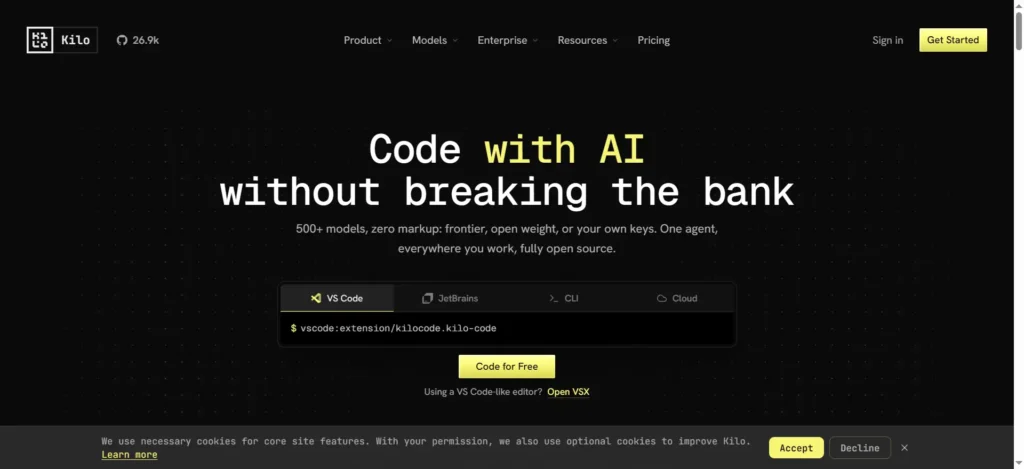
    10. Melty & Kilo Code: The Next-Gen Open Code Editors

    kilo code

    Melty and Kilo Code represent the emerging wave of open-source AI-native IDEs that integrate directly with compiler diagnostics, tracking every keystroke and compiler error to refine generated code in real time.

    Why Developers Love It: Transparent, open-source codebases with native interactive diff viewers that make reviewing AI-generated code fast and reliable.

    3. How to Choose the Best Open Source AI Coding Assistant for Your Workflow

    Selecting the Best Open Source AI Coding Assistant depends on your primary editing environment, hardware setup, and autonomy requirements:

    • Choose OpenHands or SWE-agent if: You want top-tier benchmarked autonomous problem solving in isolated Docker environments for complex GitHub issue resolution.
    • Choose Cline if: You prefer working inside VS Code and want an autonomous in-editor agent powered by Model Context Protocol (MCP).
    • Choose Aider if: You work primarily in the terminal and want fast, interactive Git-committed pair programming.
    • Choose Continue.dev if: You want private, local inline tab autocomplete in VS Code or JetBrains powered by a local Ollama model.
    • Choose Hermes Agent or DeepSeek Harness if: You want self-improving agents with compounding skills or modular plugin architectures.
    • Choose Tabby if: You are an engineering lead looking for an on-premise, enterprise-compliant alternative to GitHub Copilot.

    4. Frequently Asked Questions (FAQ)

    Can an open source AI coding assistant run 100% offline?

    Yes. Tools like OpenHands, Aider, Continue.dev, Tabby, and OpenClaw can connect directly to local inference engines like Ollama or vLLM running quantized open-weight models (such as Qwen3.8-27B or DeepSeek V4), providing completely private coding assistance with zero internet connectivity.

    How does SWE-Bench measure AI coding performance?

    SWE-Bench tests AI models and agents against real-world, end-to-end GitHub issues from popular open-source repositories. To solve an issue, the agent must read the codebase, locate the bug, write a multi-file patch, and pass the repository’s actual unit and integration test suites.

    Are open-source coding assistants free to use?

    Yes, all 10 tools ranked in this guide are open-source under permissive licenses (MIT or Apache 2.0). The only cost is the API tokens you consume (if using commercial endpoints like Claude or DeepSeek) or the electricity required to run local models on your own hardware.

    5. Key Takeaways

    • Open-Source Parity: Modern autonomous open-source systems like OpenHands (72.8%) and mini-SWE-agent (74.0%) rival commercial benchmarks on SWE-Bench Verified.
    • Specialized Roles: OpenHands and SWE-agent dominate autonomous issue solving; Cline leads in-editor MCP workflows; Aider excels at interactive CLI pairing.
    • Self-Hosted Privacy: Open-source assistants allow developers to build completely private, air-gapped development stacks using local LLMs.

    Bookmark AICodeNews.com for daily updates on open-source AI coding tools, LLM benchmarks, and developer engineering guides.

  • Cloudflare Workers Access AI: Unified Zero Trust Controls for Agent Gateways

    Cloudflare Workers Access AI: Unified Zero Trust Controls for Agent Gateways

    As developers deploy autonomous coding agents and Model Context Protocol (MCP) servers across distributed serverless infrastructure, Cloudflare Workers Access AI has officially rolled out to provide unified identity verification, private-by-default routing, and edge security policies.

    Announced on the Cloudflare Changelog, Cloudflare Workers Access AI eliminates the need to manually configure access rules across separate routes and custom domains, automatically attaching Zero Trust policies directly to the underlying Worker.

    1. Why Cloudflare Workers Access AI Matters for Agent Gateways

    Securing autonomous agent endpoints and internal database connectors has historically required complex middleware layers:

    • Unified Multi-Domain Protection: With Cloudflare Workers Access AI, an application reachable on a custom domain, standard route, and workers.dev preview URL is protected simultaneously under a single attached policy.
    • Private by Default Architecture: Engineering teams can enforce global rules where all newly created Workers require identity authentication before receiving incoming agent traffic.
    • Native Context Identity (ctx.access): Developers can access user and service identity payloads directly inside Worker code to enforce granular role-based access control (RBAC).

    2. Local Testing & WebMCP Integration with Cloudflare Workers Access AI

    To ensure developer velocity remains uninterrupted, Cloudflare Workers Access AI includes deep tooling integration for existing serverless workflows:

    • Local wrangler dev Simulation: Test authenticated agent handoffs and token payloads locally before deploying to global edge nodes.
    • Automated WebMCP Gateways: Safely expose internal microservices as verified Model Context Protocol endpoints with cryptographic identity assertions.

    3. Key Takeaways

    • Zero Trust by Default: Cloudflare Workers Access AI locks down agent endpoints across all custom domains and preview URLs.
    • Native Context Access: Inspect identity claims inside ctx.access with zero latency overhead.
    • Streamlined Security: Eliminates manual route tracking and protects internal AI tools automatically.

    Follow AICodeNews.com for daily updates on AI agent infrastructure, edge computing, and developer security tooling.